
Setting up a Bitcoin wallet is the very first step to owning BTC and the type of wallet you choose influences how much control you have over your funds, how secure your holdings are, and how easily you can send or receive transactions. Bitcoin continues to dominate the global digital asset landscape and, as of 2025, more than 54 million unique wallet addresses hold some amount of BTC while daily transaction volume regularly exceeds several billion dollars in value.
Source: DefiLlama
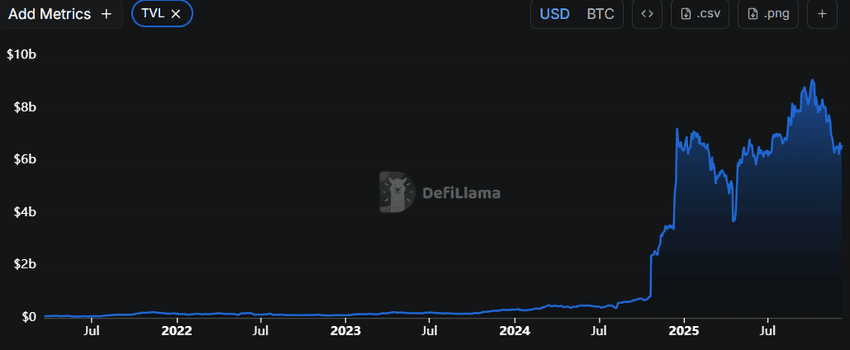
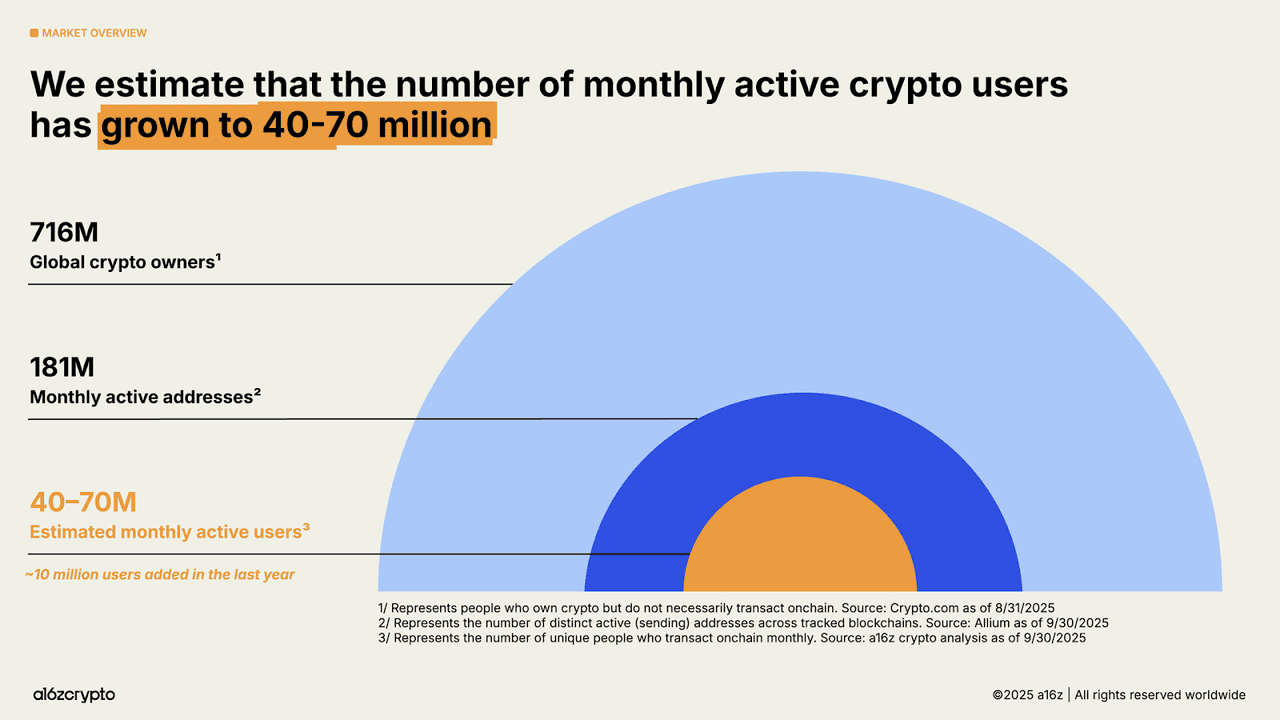
According to DefiLlama, Bitcoin's role in decentralized finance has also expanded significantly as total value locked (TVL) in Bitcoin based DeFi protocols reached $6.58B in 2025. According to a report by a16zcrypto in 2025, over 175 billion USD sits in Bitcoin and Ethereum exchange traded products and blockchains now process more than 3400 transactions per second which is more than one hundred times higher than throughput five years ago, highlighting the growing global demand for Bitcoin wallets as users interact with BTC across exchanges, self custodial apps, and hardware devices.
Crypto wallets can be custodial, noncustodial, hardware based, software based, or even fully offline through paper storage. Although the concept may seem technical, creating a wallet is straightforward once you understand how Bitcoin private keys work and how wallets communicate with the blockchain.
This guide walks through what Bitcoin wallets are, how they function, how to choose between different types, how to set them up, and how to keep your coins secure from loss or theft.
Source: a16zcrypto
What Is a Bitcoin Wallet and How Does It Work?

Source: Coinbase
A Bitcoin wallet is a tool that stores your cryptographic keys, not the Bitcoin itself. Bitcoin exists on the blockchain as recorded balances and transaction histories, while your wallet generates a public address to receive BTC and a private key or seed phrase that proves ownership of the funds associated with that address. When you send Bitcoin, the wallet signs the transaction with your private key and broadcasts it to the network, where miners or validators include it in a block once the transaction meets fee and confirmation requirements. Losing your private key means losing access to your Bitcoin permanently, which is why secure backup practices such as encrypted digital storage or offline hardware solutions are critical.
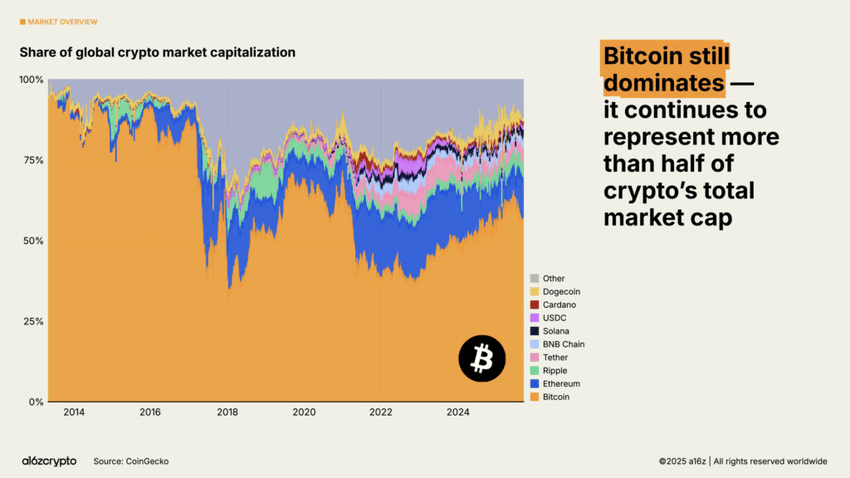
As of 2025, fewer than one million addresses hold one full BTC, and nearly one quarter of wallets have been inactive for over a year, highlighting the importance of long-term key storage for holders who treat Bitcoin as a savings asset rather than a transactional currency. According to Coinbase, over 7 trillion dollars worth of Bitcoin has been transferred since 2009, illustrating both the scale of Bitcoin's global usage and the need for reliable wallets that can securely manage private keys across millions of daily transactions. Bitcoin also represents more than 50% of the total cryptocurrency market capitalization, reinforcing its central role in the broader crypto ecosystem.
Source: a16zcrypto
How to Choose the Right Bitcoin Wallet for You: Custodial vs Non-Custodial?
Custodial wallets are operated by exchanges and service providers that store the private keys on your behalf. They offer an easy onboarding experience, simple recovery if you lose your login credentials, and integrated features like fiat purchases, trading tools, and sometimes reward programs. Because these providers hold keys on centralized infrastructure, custodial wallets resemble traditional financial accounts and are ideal for beginners who want a low friction way to buy or store small amounts of BTC. They are also suitable for users who trade frequently or move between assets often since custodial platforms typically provide fast withdrawals, user friendly interfaces, and instant conversions. Custodial wallets are best for everyday users who do not want to manage seed phrases, people who treat Bitcoin like a trading asset rather than a long term store of value, and anyone prioritizing convenience and customer support.
Non-custodial wallets give you complete control because the private keys never leave your device. Your seed phrase becomes the single source of authority over your funds. Noncustodial software wallets on mobile or desktop give you flexibility while hardware wallets provide strong offline security by isolating keys from the internet entirely. These wallets make sense if you hold larger amounts of Bitcoin or plan to store BTC for years. They also appeal to users who value privacy because signing occurs locally and no third party can freeze or interfere with your funds. Noncustodial wallets are best suited for long term holders, individuals with a strong focus on self sovereignty, and anyone concerned about exchange failures or centralized custodial risk.
How to Set Up BingX Exchange Wallet to Store BTC: Step-by-Step Guide
The BingX Exchange Wallet is the most beginner-friendly and a secure, self-custodial way to start storing Bitcoin. When you buy BTC directly on BingX spot market, it's automatically stored in your exchange wallet without needing extra setup. This makes it easy to get started, since you don't have to worry about downloading external apps, generating private keys, or backing up seed phrases right away.
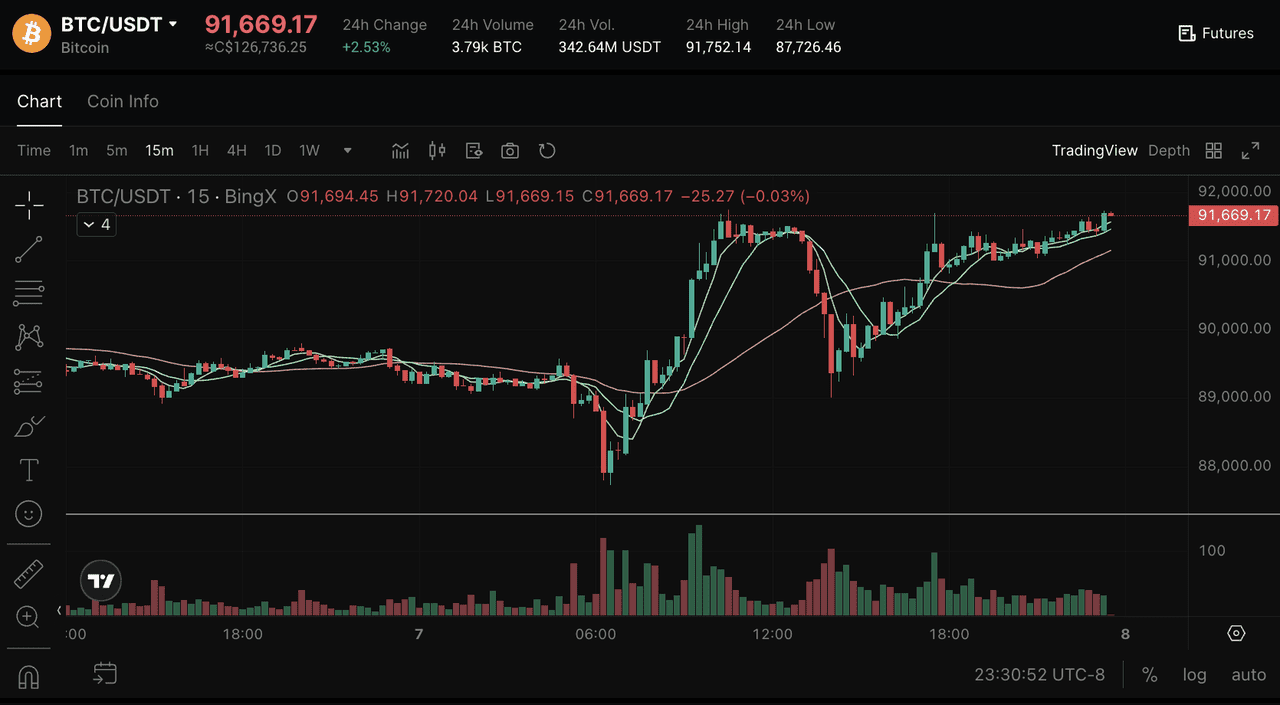
Source: BTC/USDT on BingX Spot Market
Before you can start using your Bitcoin wallet, you'll need to deposit some BTC into it. If you're just getting started, the easiest way is through BingX, where you can buy Bitcoin instantly and then move it to your personal wallet for safekeeping.
Step 1: Buy BTC on BingX: Log in to your BingX account and go to Buy Crypto. Choose how you want to pay: stablecoins like USDT or USDC, card/bank transfer, or P2P. You can use BingX AI tools to get market insights, risk analysis, and trading suggestions. Search for BTC/USDT on the BingX Spot Market and complete the purchase; your BTC will appear in your Funding/Spot wallet on BingX.
Step 2: Store your BTC on BingX: You can store your BTC in your BingX wallet. Beyond storage, BingX gives you quick access to trading features, so you can buy, sell, or convert Bitcoin instantly on the spot market. For more advanced users, the futures market lets you trade BTC with leverage and hedge against price swings. You can also automate your strategy with trading bots, which help manage trades 24/7 without constant monitoring.
On top of that, BingX Earn allows you to generate passive income, and Copy Trading lets you follow top traders without handling strategies yourself. This mix of storage, trading, and automation makes the BingX wallet a practical choice for both beginners and experienced traders.
For new investors, the BingX wallet strikes a balance between security and convenience. It's ideal if you're still learning about private wallets and want to focus on buying and using Bitcoin first. Later, as your holdings grow, you can consider moving some BTC into more advanced options like hardware wallets for long-term cold storage.
How to Set Up a Hardware BTC Wallet Using Ledger: Beginner's Guide
Setting up a hardware Bitcoin wallet like Ledger gives you one of the safest ways to store BTC by keeping your private keys offline and fully under your control.
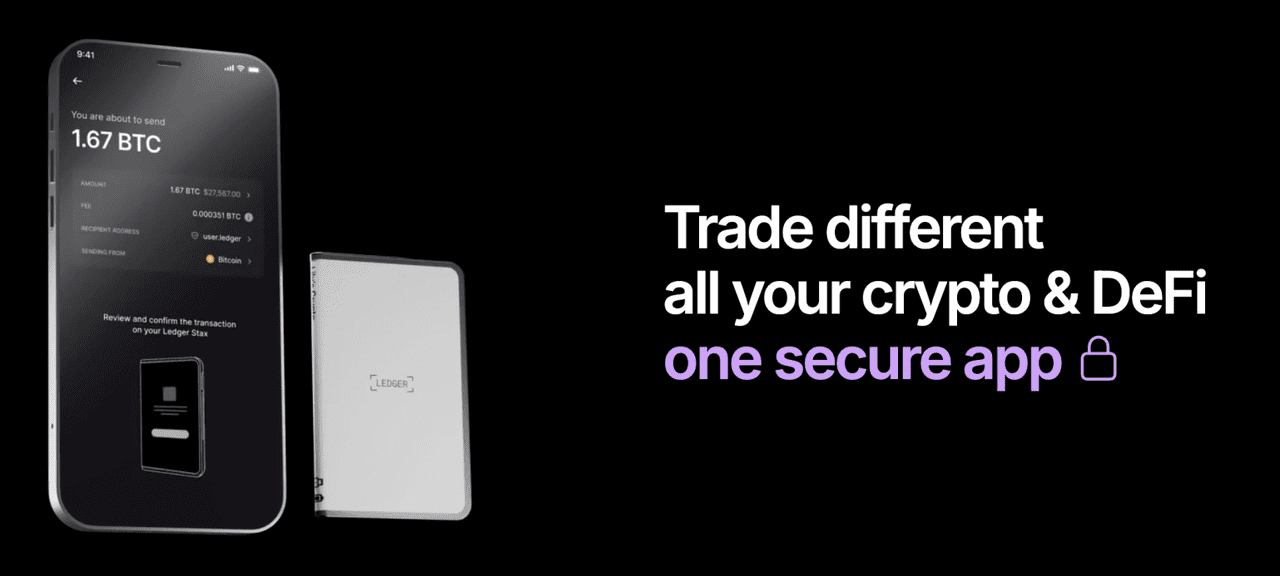
Source: Ledger
Step 1: Purchase a Ledger Hardware wallet and Verify Its Packaging
To set up a secure Bitcoin wallet with a Ledger device, start by ordering a Ledger Nano Gen 5 directly from the official Ledger website or an authorized reseller to avoid tampered or counterfeit devices. When the package arrives, carefully inspect the seals and packaging to ensure nothing has been opened or damaged during shipping. Ledger devices include built-in authenticity verification within the Ledger Live companion app, which checks the device firmware and cryptographic signature before allowing you to initialize your Bitcoin wallet. This step ensures that private keys are generated securely on the device itself and never exposed online, providing maximum protection for your BTC holdings from theft, malware, or phishing attacks.
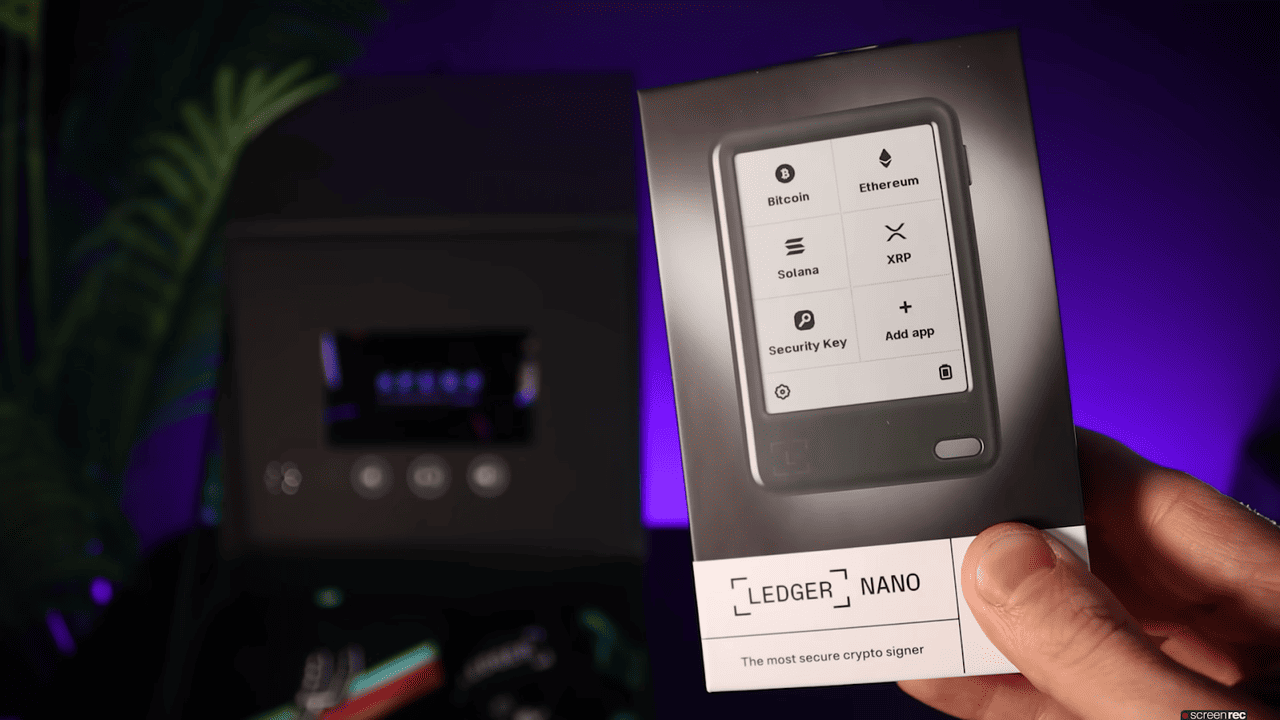
Source: Ledger
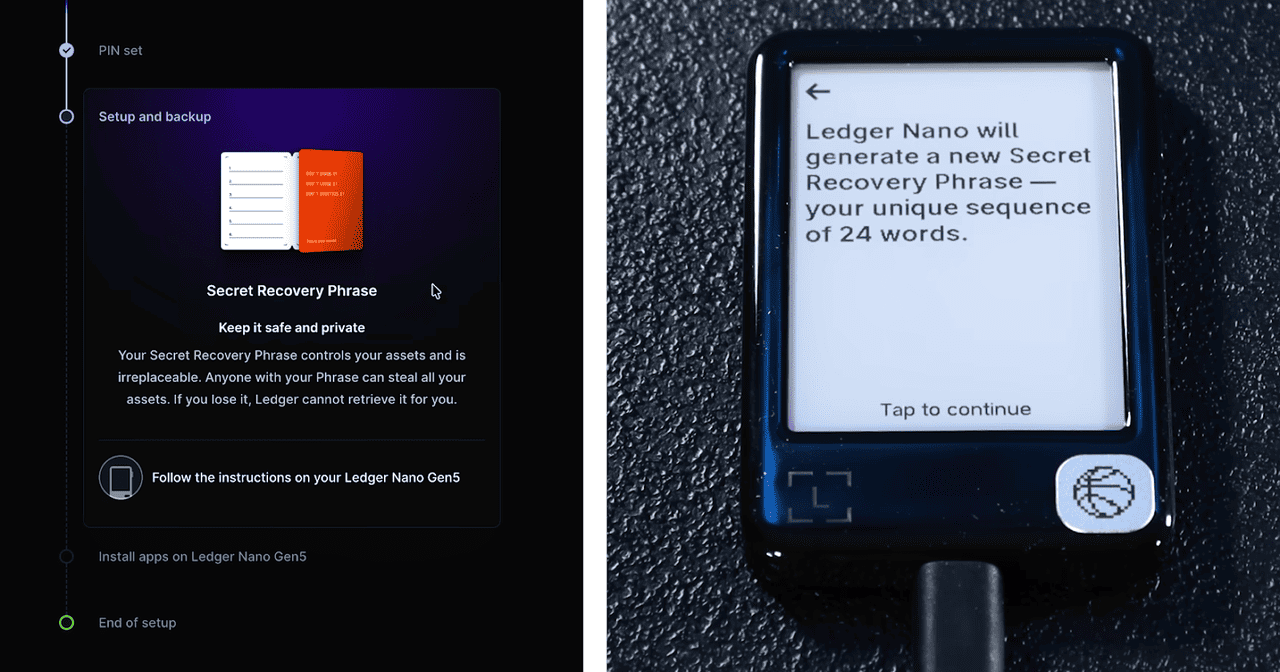
Step 2: Install the Ledger Live App and Initialize Your New Hardware Wallet
Download the official software, connect your device, and begin initialization. During setup the wallet will generate a recovery phrase, typically twenty four words, which must be written down carefully and stored offline in a safe place. This phrase is the master key that can recreate your wallet even if the device is lost or destroyed.
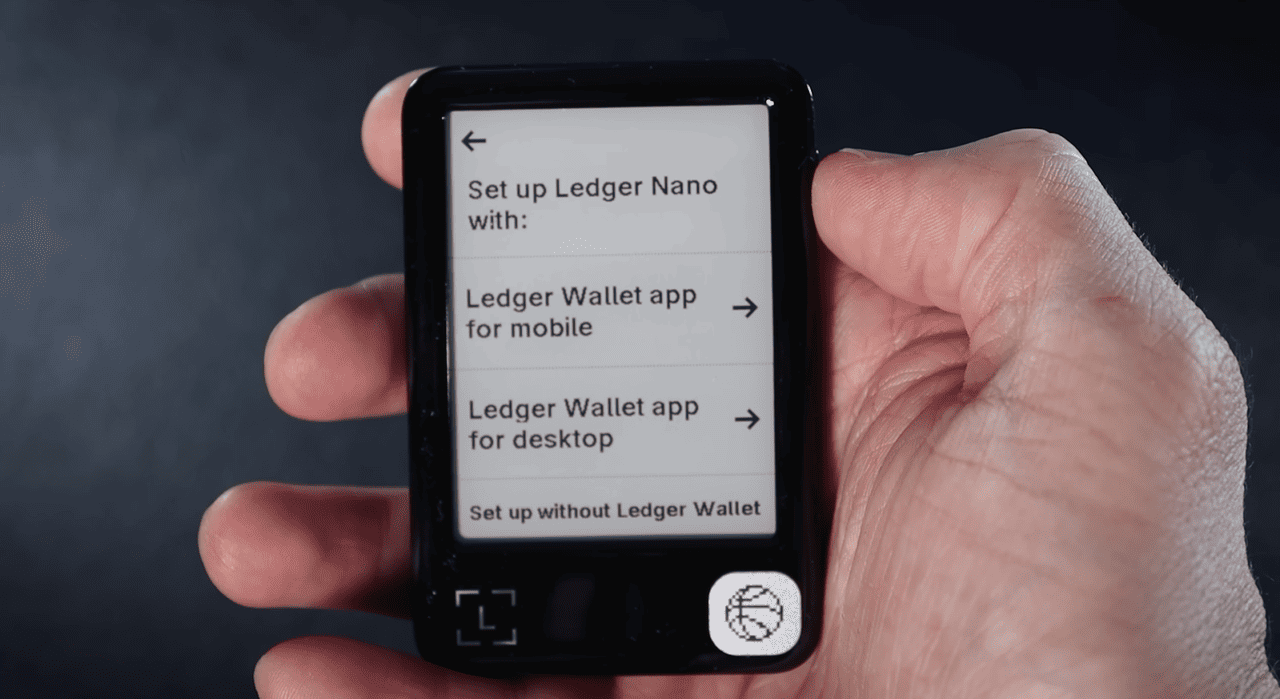
Source: Ledger
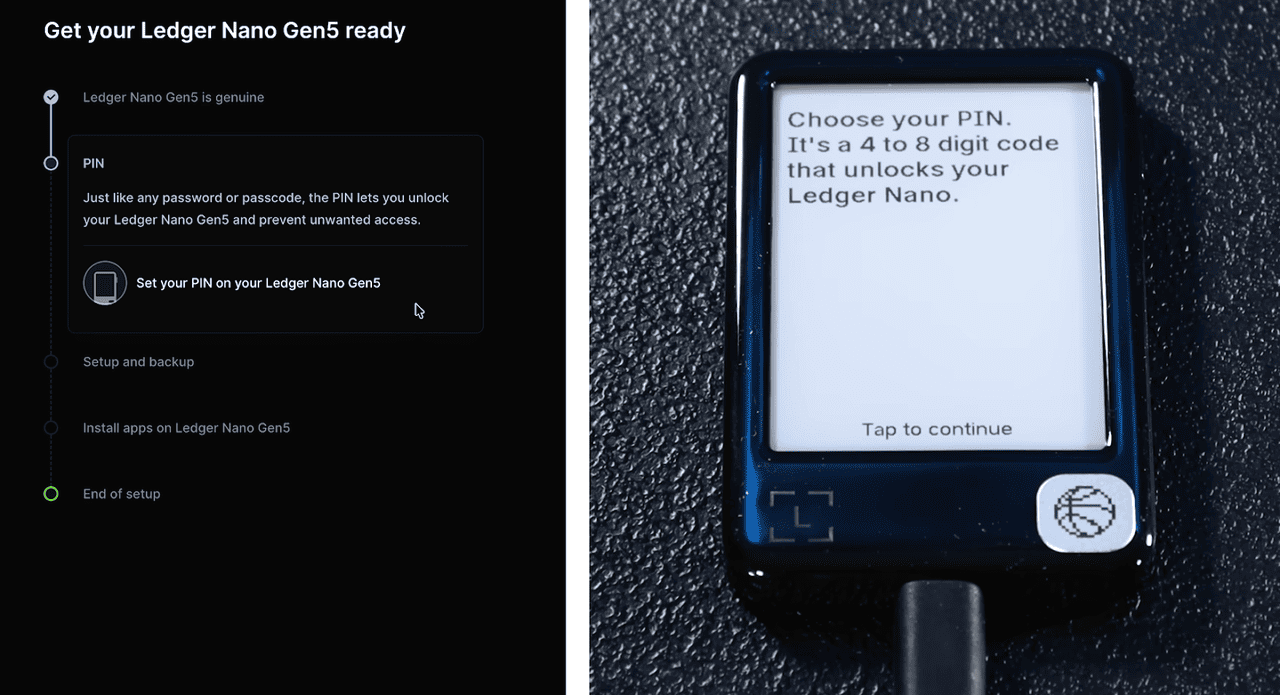
Step 3: Confirm Your Recovery Phrase and Set a Secure Access Pin
After writing down the phrase you will be asked to reenter selected words to confirm accuracy. You will also set a pin that protects your device from unauthorized physical access. These two layers create a secure environment for signing Bitcoin transactions.
Source: Ledger
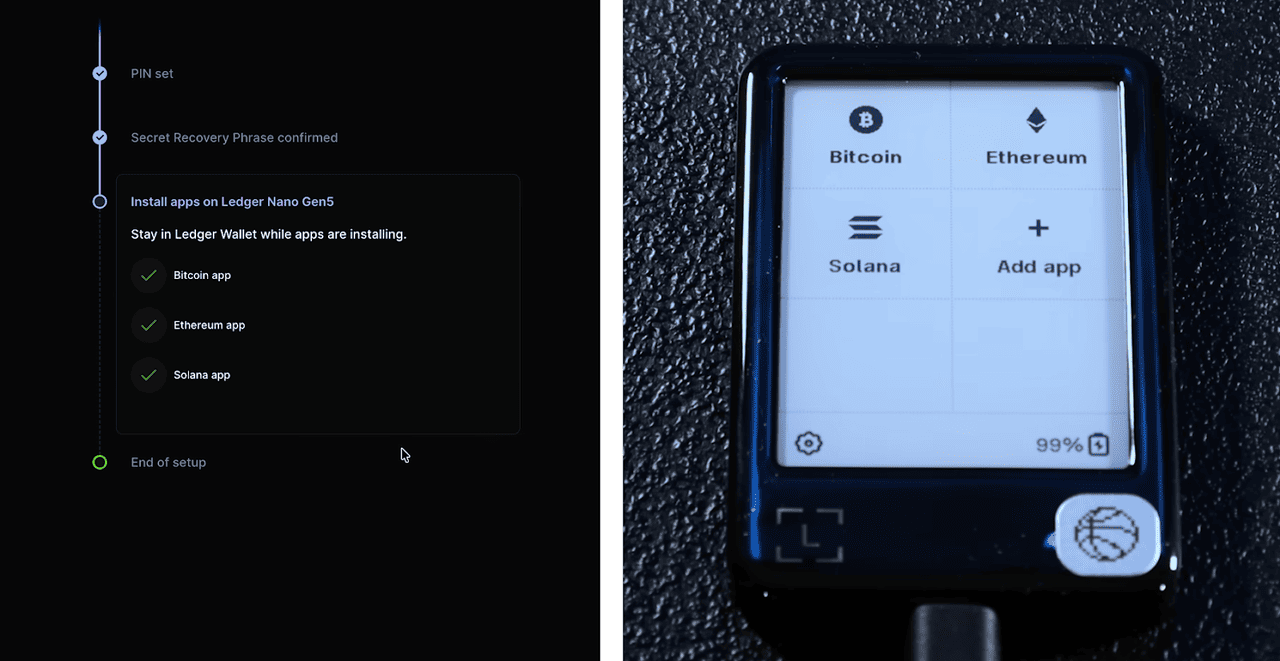
Step 4: Add the Bitcoin Application and Generate a Receiving Address
Use the software to install the Bitcoin app onto your hardware wallet. Once installed you can create a receiving address and send BTC from an exchange or other wallet. Because private keys never leave the device, transaction signing happens in a controlled offline environment which greatly reduces the risk of theft.
Source: Ledger
Step 5: Securely Store Your Ledger Device and Seed Phrase for Long-Term Protection
After setting up your Ledger wallet for Bitcoin, keep the device in a secure location such as a locked drawer, safe box, or other protected area. Store the 24-word seed phrase separately from the device in a fireproof and waterproof container, and consider additional offline backups in different locations to reduce risk from theft or accidental damage. When you need to access or move BTC, connect the Ledger device to your computer or mobile, review all transaction details carefully on the device screen, and approve the transaction using the device buttons. For long-term Bitcoin investors, this combination of hardware storage and offline seed management remains the most reliable method to protect funds from hacking, malware, and loss.
Source: Ledger
What Are Paper Wallets for Storing Bitcoin?
Paper wallets are one of the earliest forms of Bitcoin cold storage and involve printing or writing your private key and public address onto a physical sheet of paper. Since the keys are completely offline they are immune to online hacks, malware attacks, keyloggers, or phishing schemes. They can also include QR codes for quick scanning.
However paper wallets introduce significant physical risks because paper can be destroyed, stolen, smudged, or exposed to moisture. If someone gains access to the printed private key your funds can be taken instantly and irreversibly.
Paper wallets must be stored in durable environments such as safe deposit boxes or fireproof containers. They are best suited for very long term holding when you do not expect to move funds for years. Because modern hardware wallets offer similar offline protection with far fewer physical failure points, paper wallets have become less common but remain a valid technique for deep cold storage when managed carefully.
How to Choose the Best Bitcoin Wallet for You?
Source: Medium
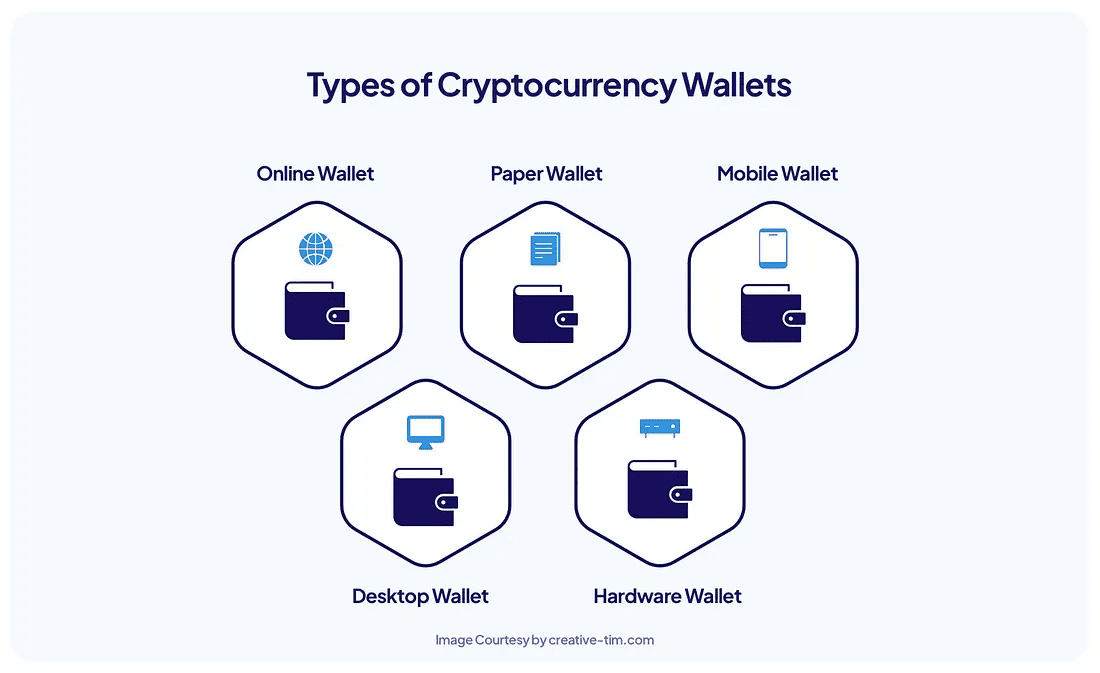
Choosing the right Bitcoin wallet depends on your goals, security preferences, activity level, and comfort with managing private keys. If you plan to trade often or want the simplest path to purchasing and withdrawing BTC, BingX's spot wallet provides security, convenience and a quick learning curve. If your priority is long term security, independence from third party custody, and strong resistance to theft, a hardware wallet is typically the best option.
Software noncustodial wallets strike a balance between convenience and control for mobile users who transact occasionally but still want self custody. Paper wallets may fit niche long term storage needs but require strict physical protection and are unsuitable for frequent transactions.
Evaluate how much BTC you expect to hold, how often you plan to move or trade, whether you need multi asset support, whether you want anonymity, and how confident you are in storing seed phrases. Your ideal wallet depends on striking the right balance between ease of use and self-determined security.
Conclusion
Setting up a Bitcoin wallet is the foundation of participating in the Bitcoin ecosystem and choosing the right wallet determines how much control you have over your digital assets. Custodial wallets offer simplicity and fast onboarding for beginners while noncustodial software wallets give greater autonomy and privacy. Hardware wallets stand out as the gold standard for long term holders who want to minimize risk and protect significant BTC amounts. Paper wallets offer a specialized form of deep cold storage but are suitable only when physical protection is guaranteed. By understanding how Bitcoin keys work, the strengths and weaknesses of each wallet type, and the importance of secure backups you can select a wallet that matches your goals and provides a reliable path for safely storing and using Bitcoin.
