
The BingX app is a powerful, beginner-friendly mobile application that lets you buy, sell, and trade cryptocurrencies globally. Founded in 2018, BingX is a leading crypto exchange and Web3 AI company serving over 40 million users worldwide. Whether you want to make your first Bitcoin purchase or explore advanced Spot trading, the BingX app provides a secure and transparent gateway.
Getting started is simple, and in this guide, you will know how to set up your account and make your first trade.
Key Takeaways
- You can buy and sell crypto on the BingX app in minutes using Quick Buy, P2P trading, or fiat bank deposits.
- BingX P2P trading allows you to buy and sell cryptocurrencies with zero transaction fees using over 300 local payment methods.
- Before your first purchase, you must complete KYC verification and enable security features like two-factor authentication (2FA).
- Card purchases offer instant access to your crypto but are subject to a T+1 selling and withdrawal restriction.
How Do You Set Up Your BingX App Account in 2026?
To set up your BingX account, download the official BingX mobile app from the Apple App Store or Google Play Store, register with your email or phone number, and complete KYC (Know Your Customer) verification. Setting up your account takes only a few minutes and unlocks full access to fiat deposits and crypto trading.
Step 1: Download and Register
Download the official BingX app to your smartphone. Tap Sign Up on the home screen and enter your preferred email address or mobile number. Create a strong password to secure your new account.
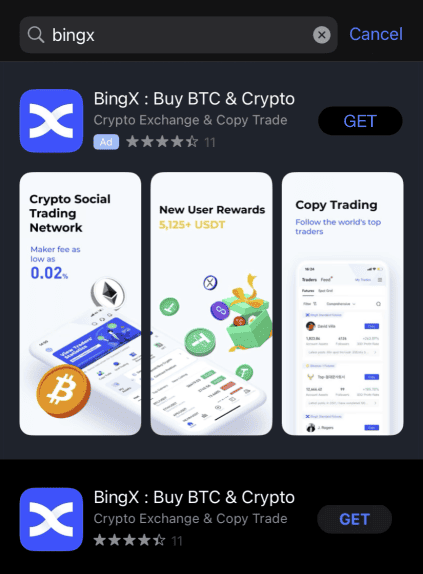
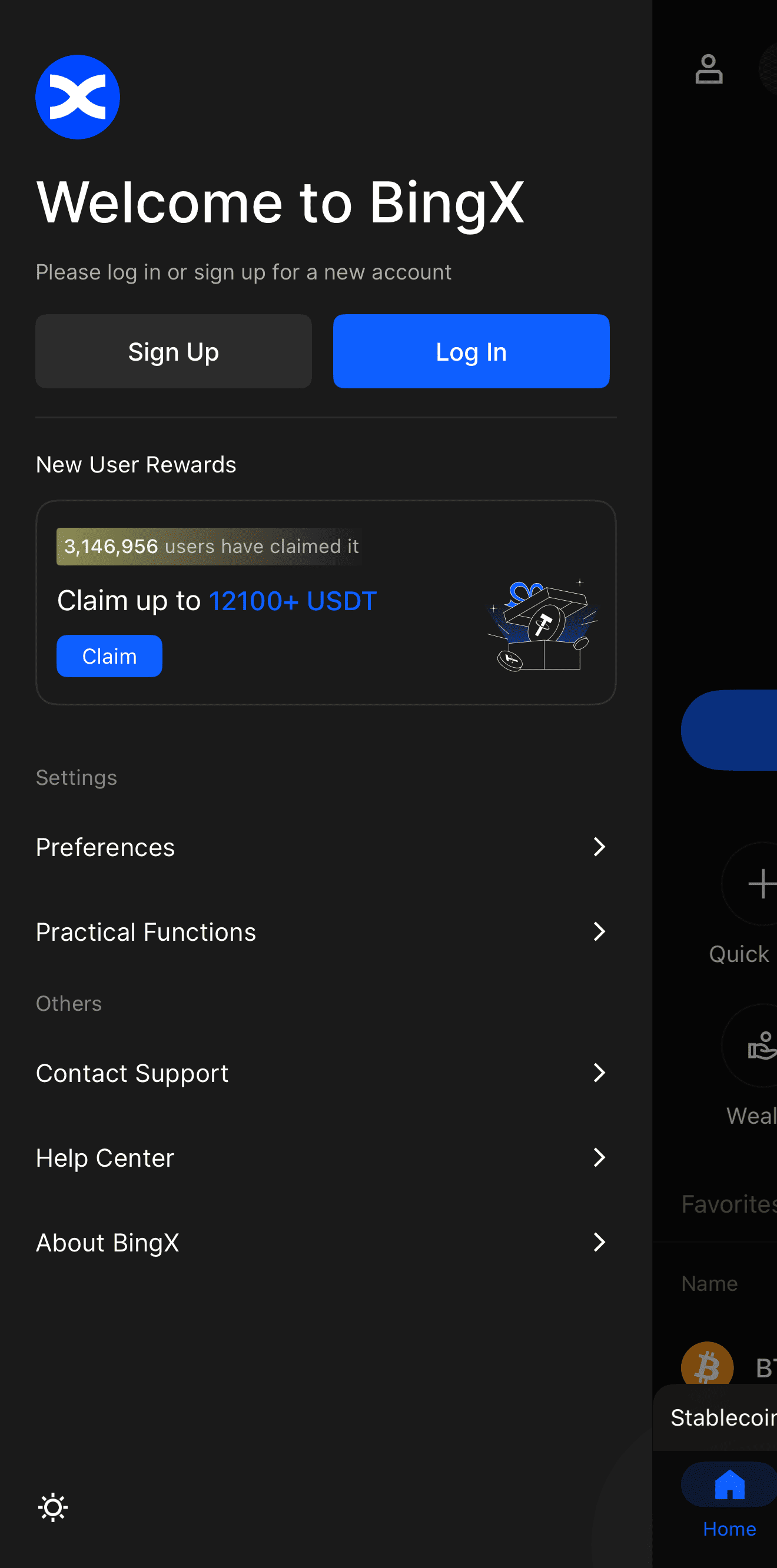
BingX app home screen showing the Sign Up and Log In options for new users
Step 2: Enable Security Features
Before adding funds, proactively secure your account. Navigate to your profile settings and enable two-factor authentication (2FA). You should also set an anti-phishing code to ensure that all future emails you receive are genuinely from BingX.
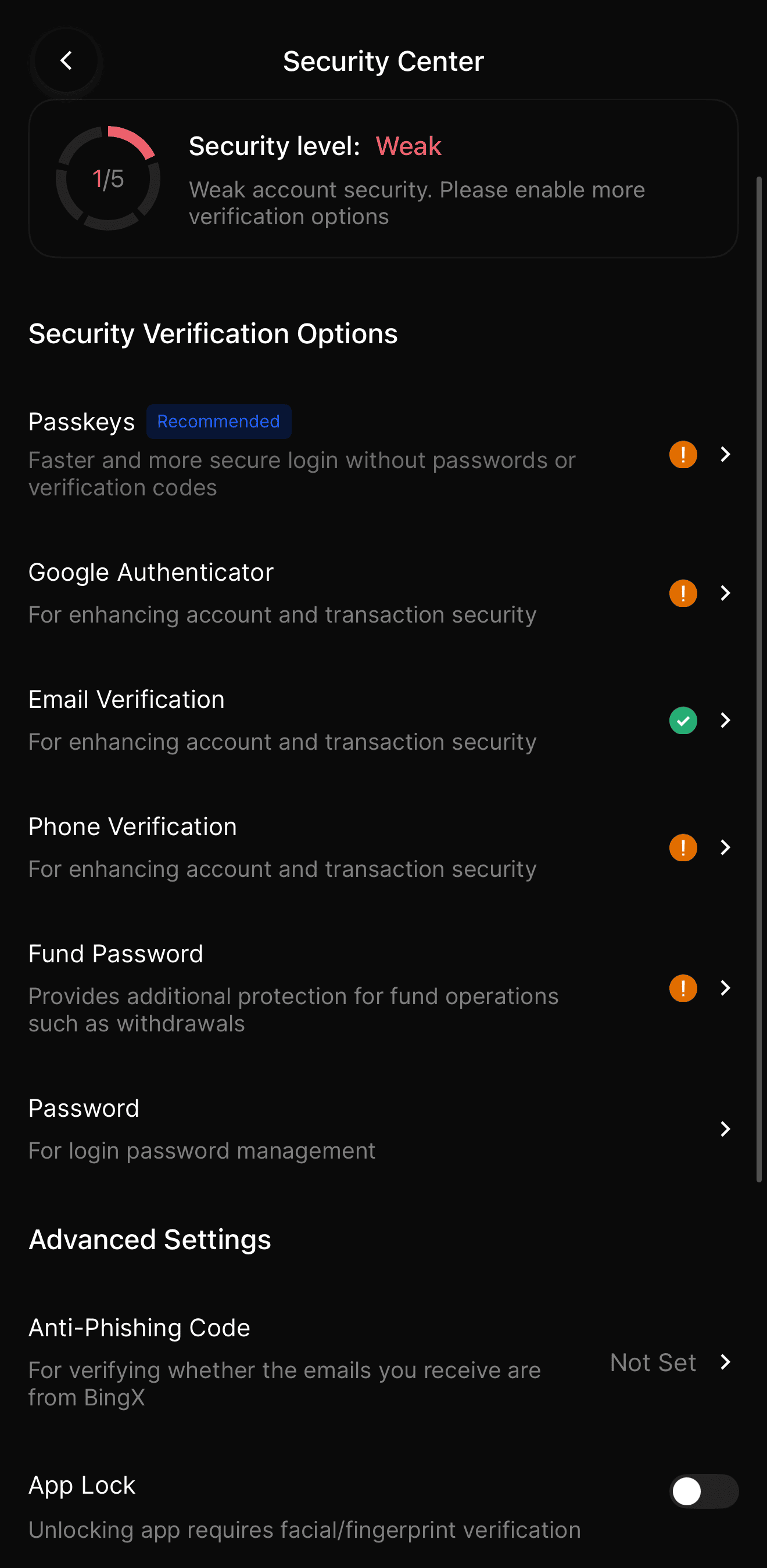
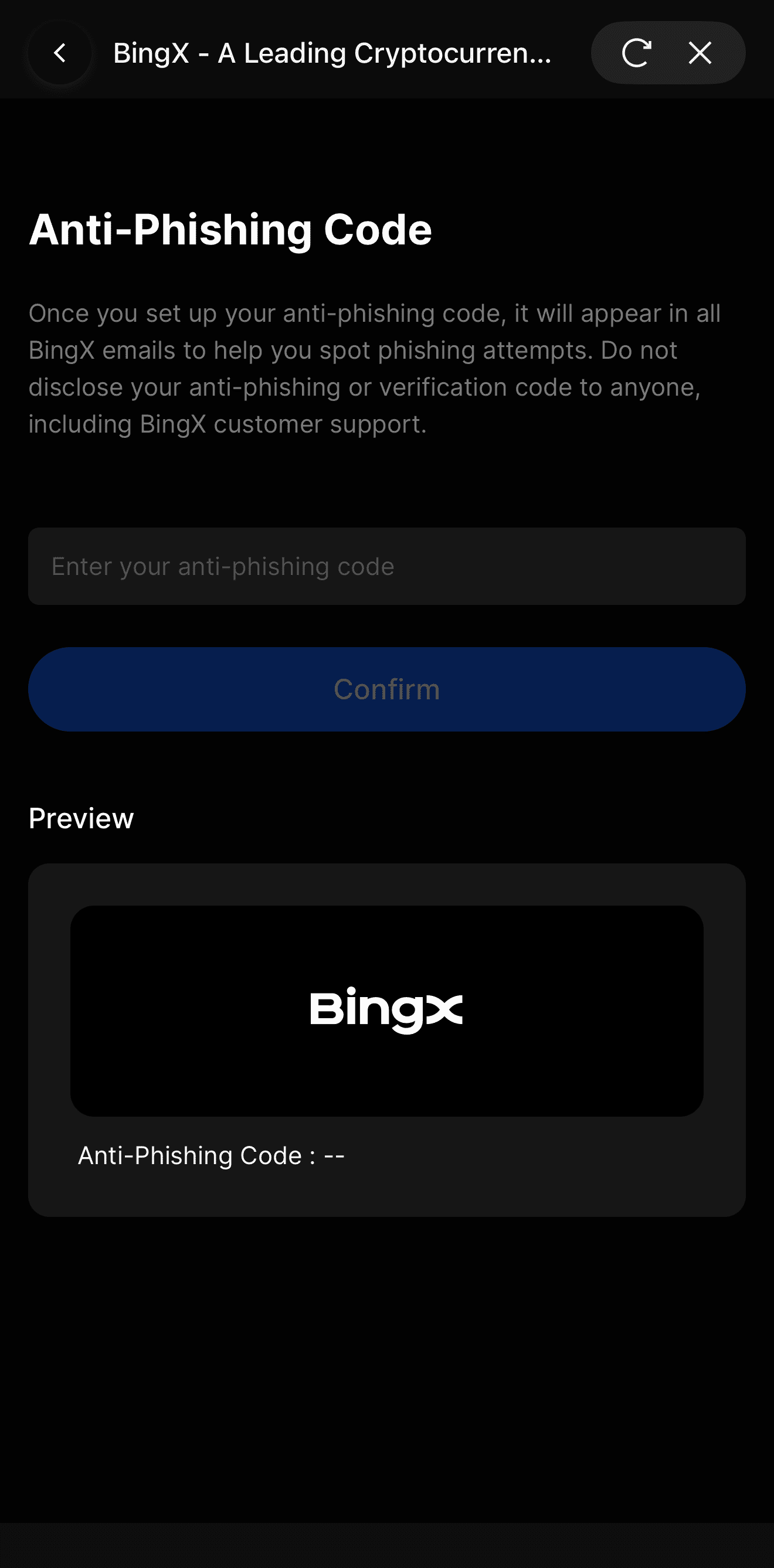
BingX app security settings menu and how to configure anti-phishing code
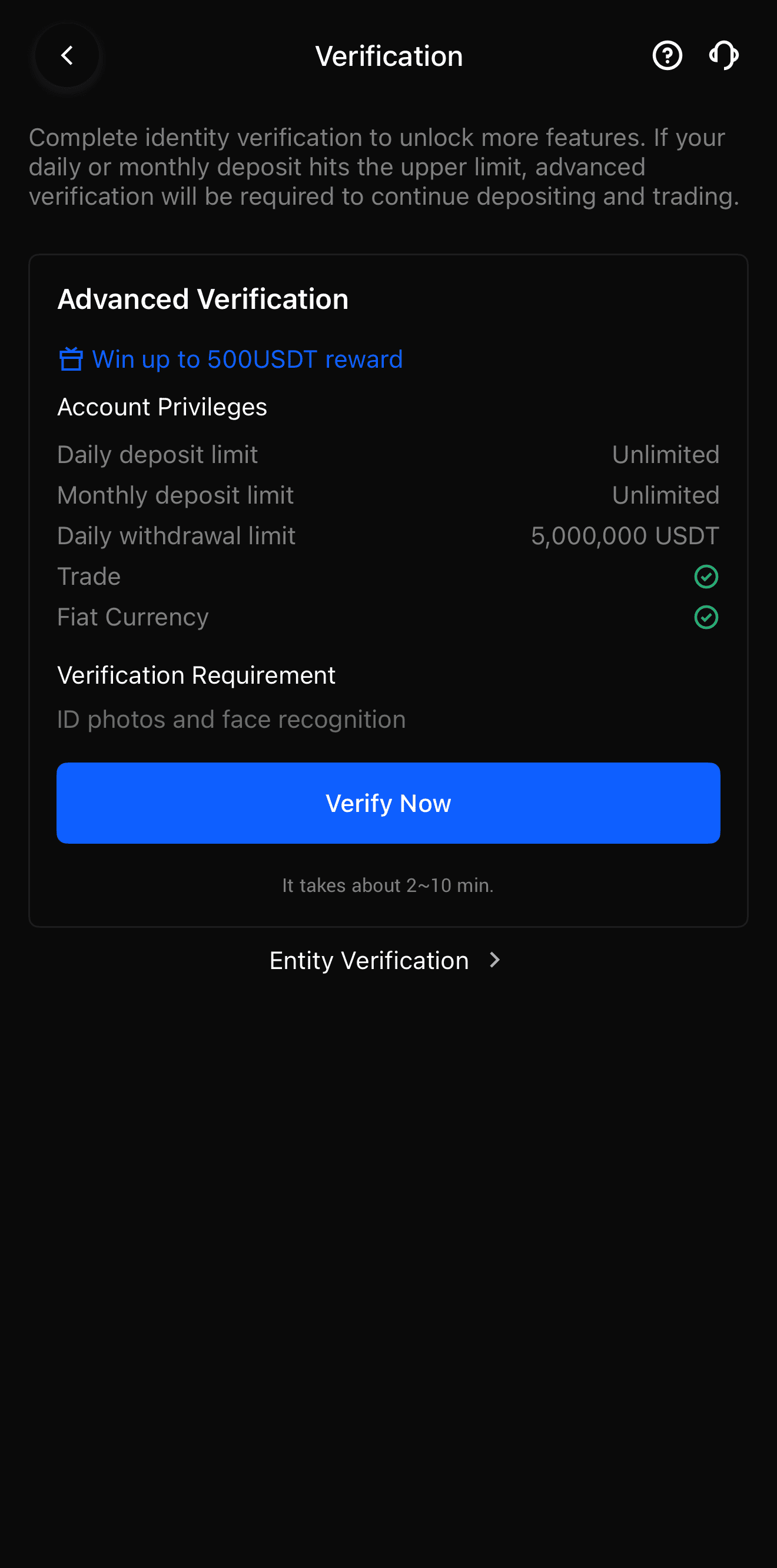
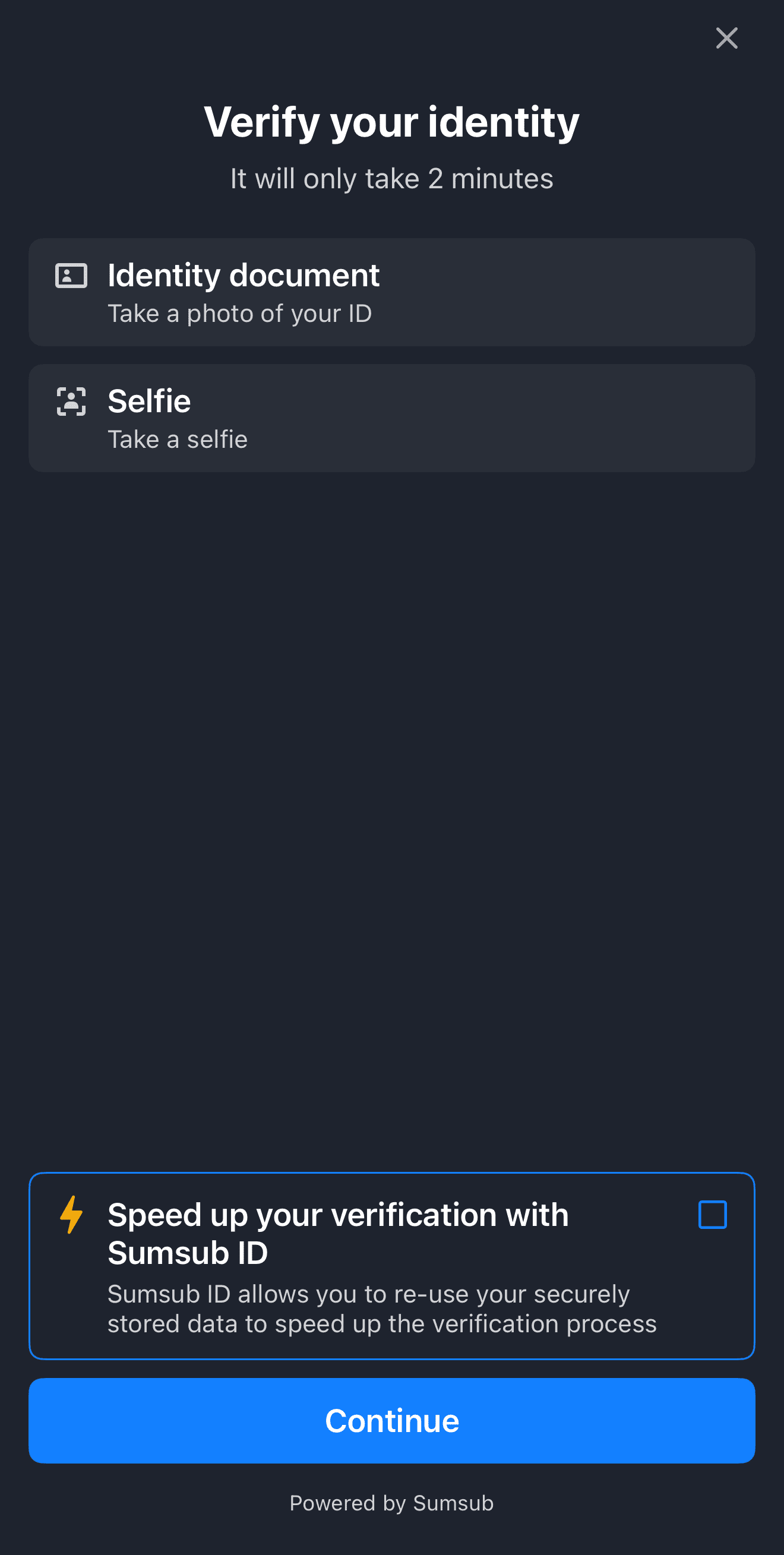
Step 3: Complete KYC Verification
Complete KYC verification to unlock fiat deposits, higher withdrawal limits, and P2P trading. Tap Verify Now in your profile, submit a valid government-issued ID, and complete the facial recognition scan. Advanced KYC verification grants you unlimited daily deposits and a 5,000,000 USDT 24-hour withdrawal limit. For more details, read our complete KYC guide.
How Do You Buy Crypto on the BingX App?
You can buy crypto on the BingX app using three primary methods: Quick Buy for instant card purchases, P2P Trading for zero-fee peer-to-peer transfers, and Fiat Deposit for traditional bank transfers. Each method caters to different needs regarding speed, fees, and payment preferences.
Method 1: Buying Crypto with Quick Buy
Quick Buy is the fastest way to purchase crypto using your credit card, debit card, Apple Pay, or Google Pay. It is ideal for beginners who want instant access to assets like USDT or Bitcoin.
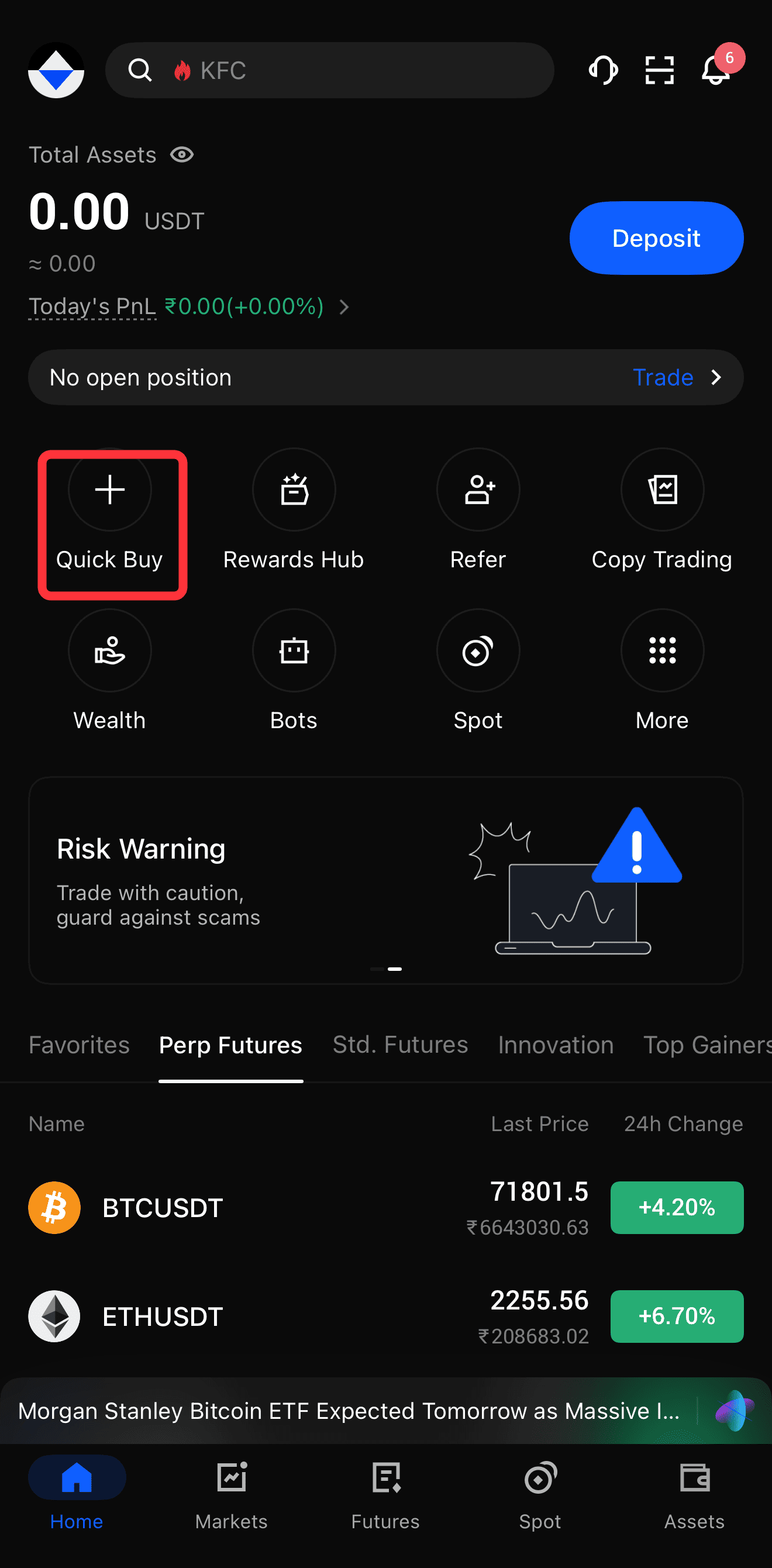
1. Tap Quick Buy: Open the BingX app, tap Buy Crypto on the homepage, and select Quick Buy.
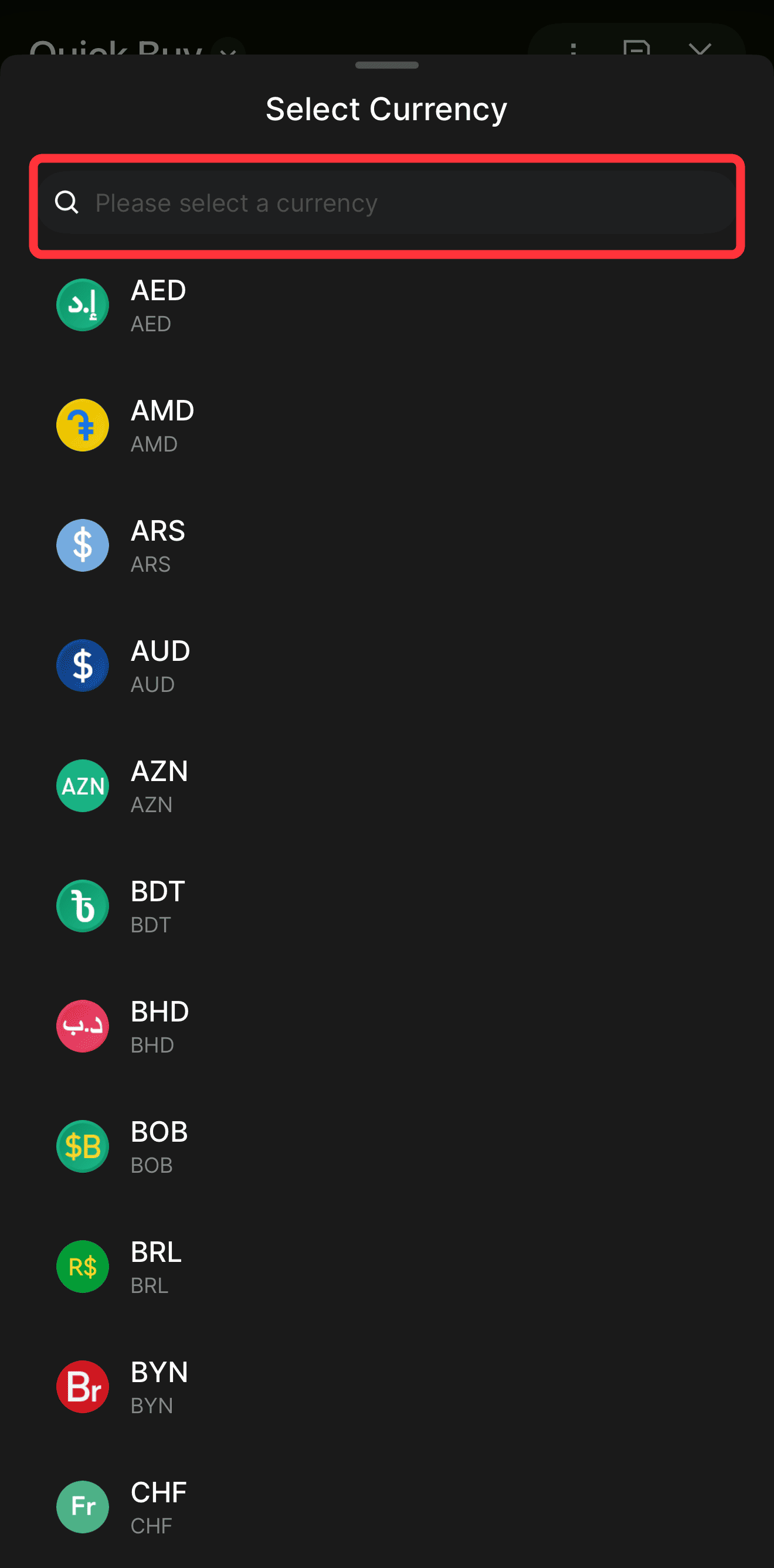
2. Select Currencies: Choose the fiat currency you want to spend, e.g., USD or EUR, and the cryptocurrency you want to receive.
3. Enter Amount: Type in the amount you wish to purchase.
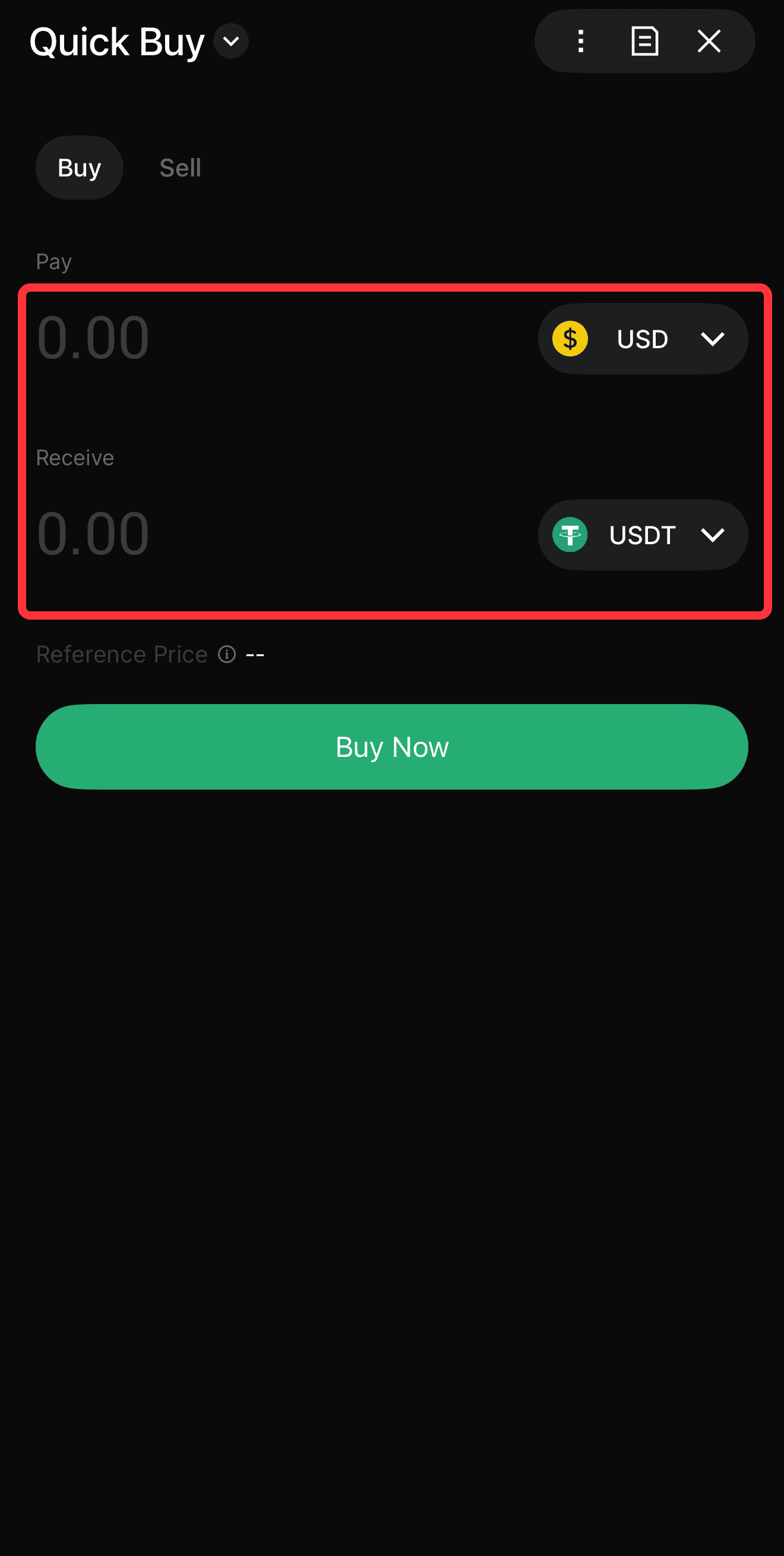
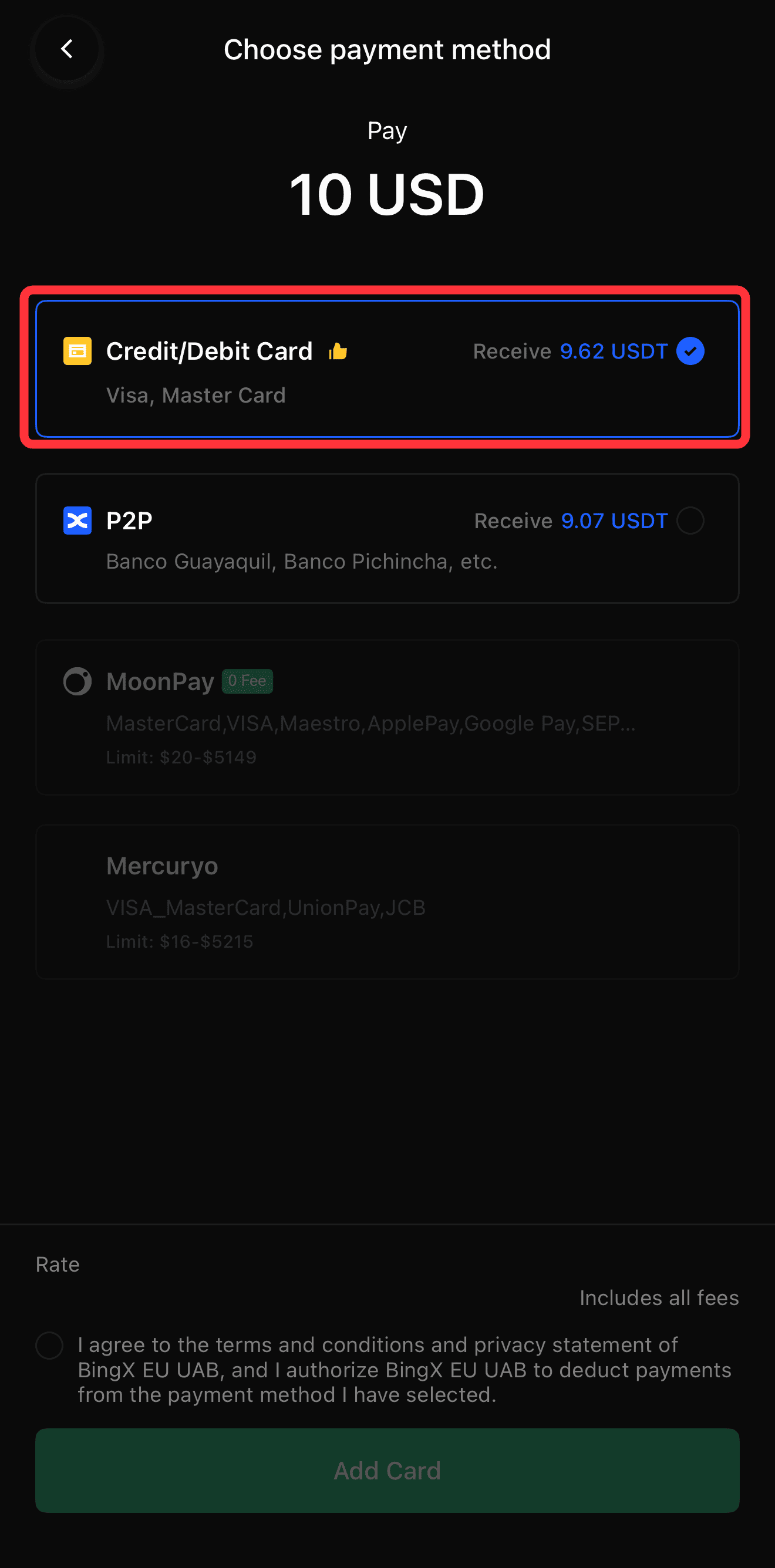
4. Choose Payment Method: Select your bound Visa or Mastercard, or choose Apple Pay/Google Pay.
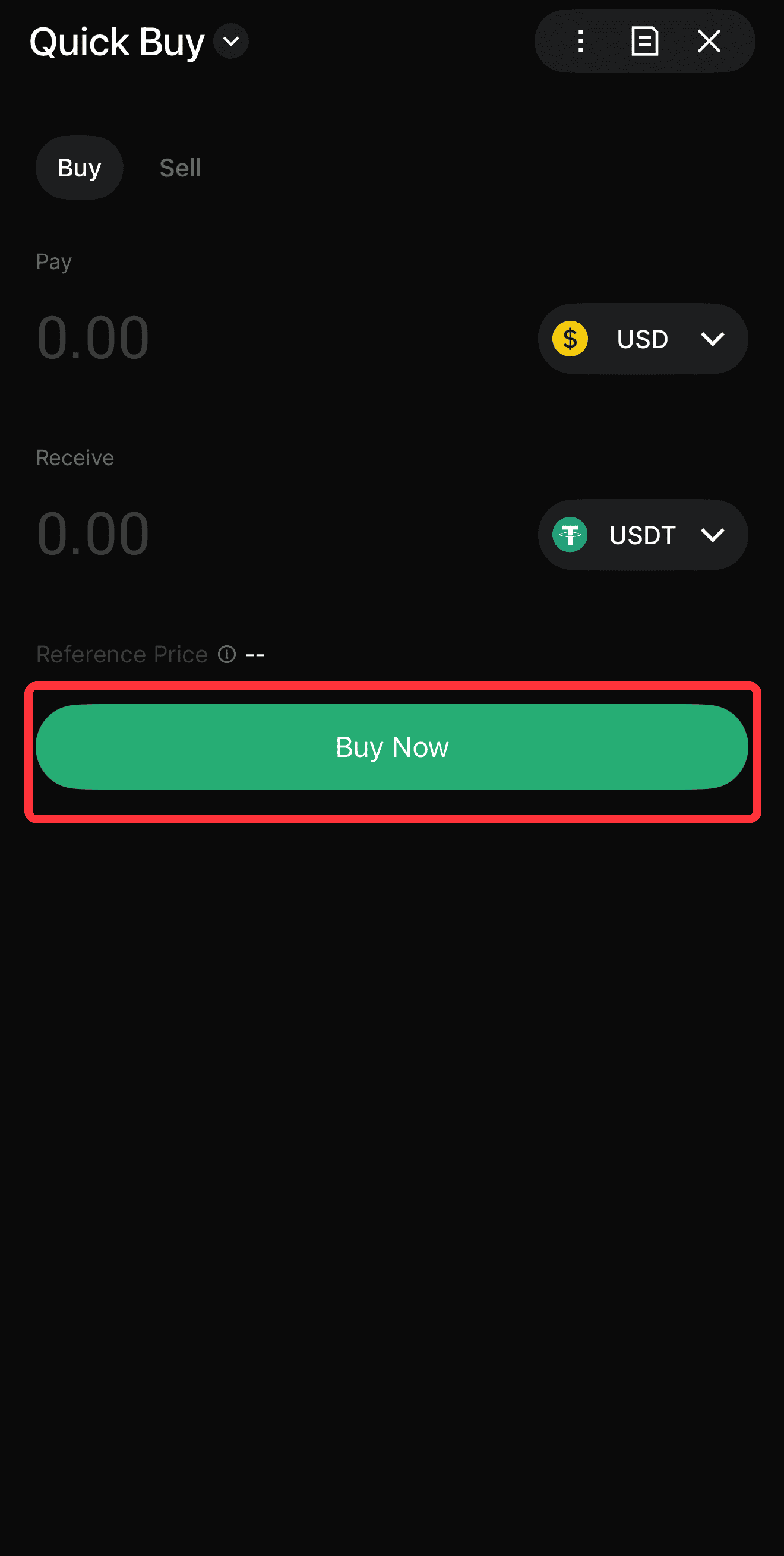
5. Confirm the Order: Review the conversion rate and fees, then tap Buy Now.
Please note that card purchases are subject to a T+1 selling/withdrawal rule, meaning you must wait 24 hours before moving those specific funds off the platform. Read our credit card guide for more information.
Method 2: Buying Crypto via P2P Trading
BingX P2P (peer-to-peer) trading allows you to buy crypto directly from verified merchants with zero transaction fees. This method supports over 300 local payment methods, including Revolut, SEPA, and regional bank transfers.
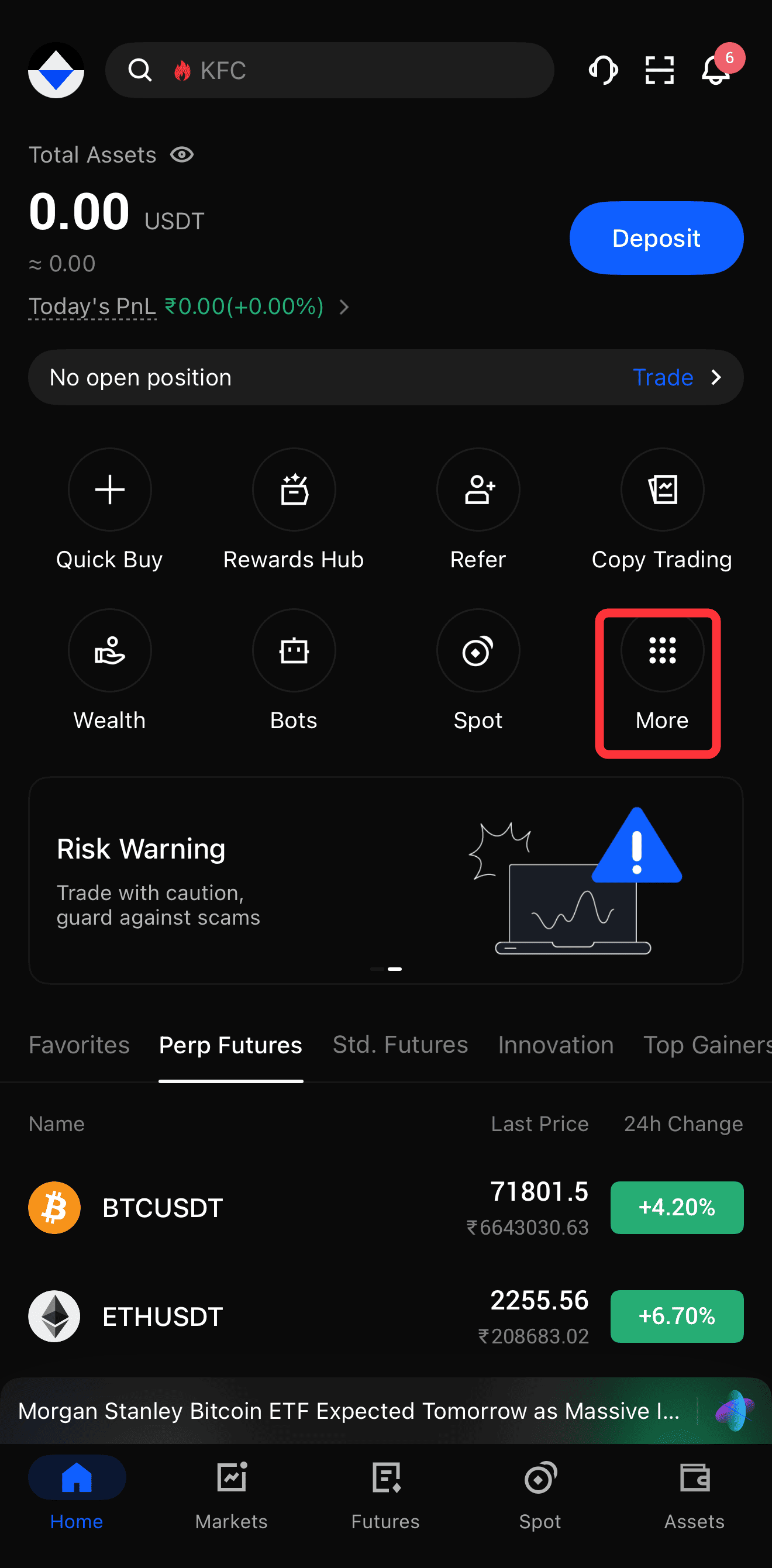
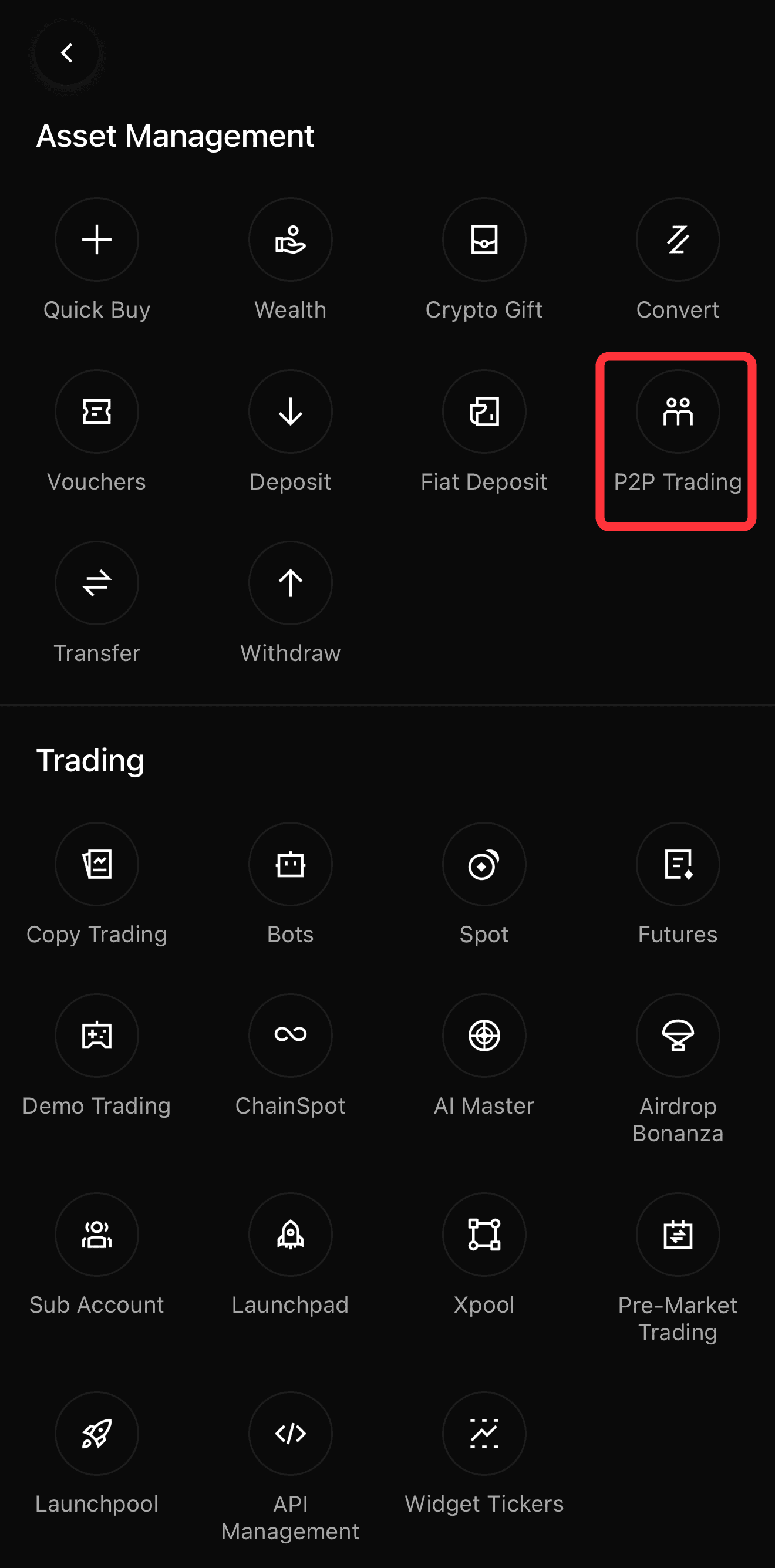
1. Access P2P Trading: Tap More on the homepage and select P2P Trading.
2. Filter Ads: Choose your fiat currency and desired crypto. Use the filter tool to select your preferred payment method.
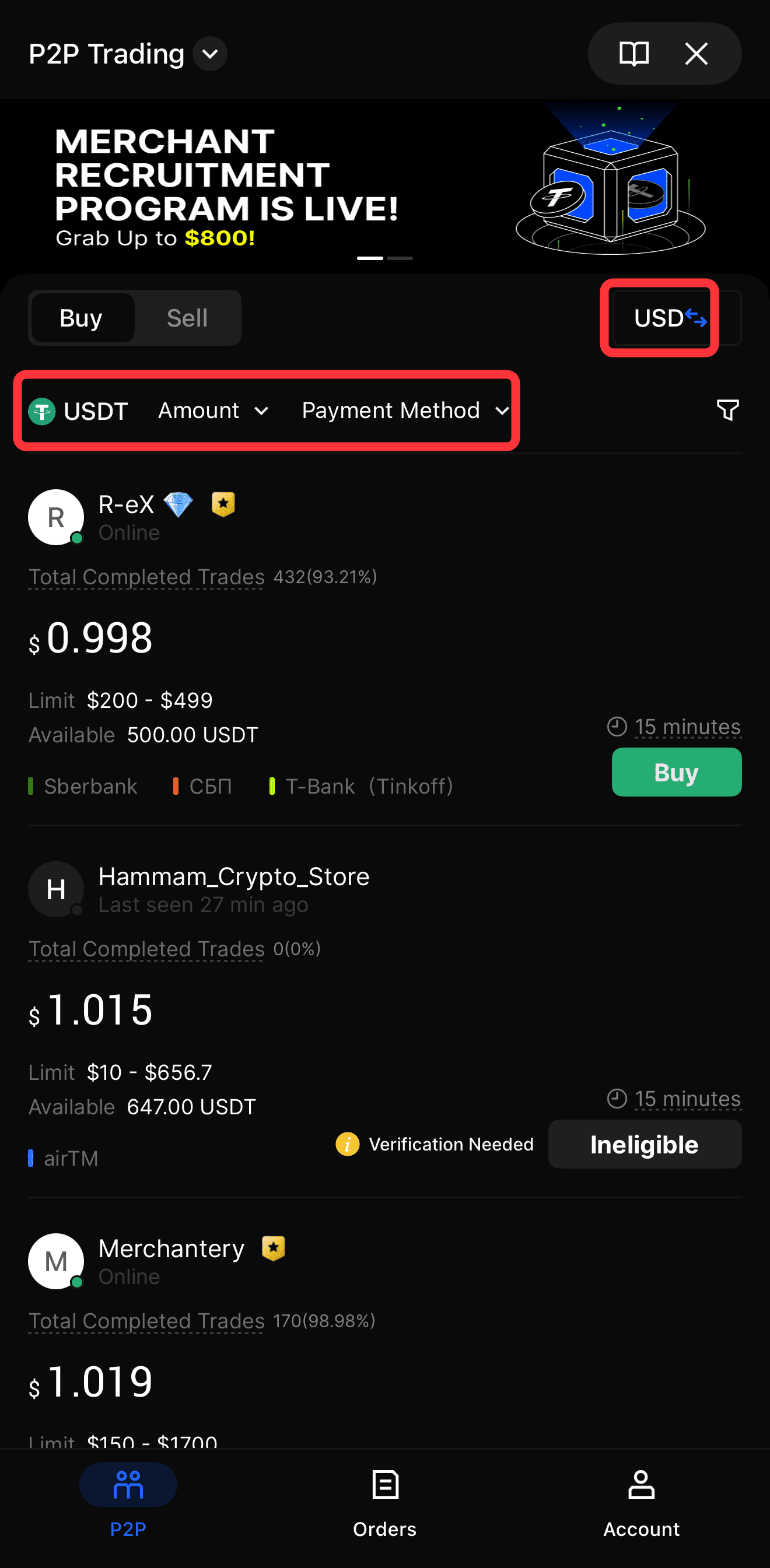
3. Select a Merchant: Review the merchant's completion rate and terms. Tap Buy next to a reliable merchant.
4. Start the Order: Enter your purchase amount. The seller's crypto is immediately locked in BingX's secure escrow system.
5. Transfer Funds: Send the exact fiat amount to the seller using the provided payment details outside the BingX app.
6. Confirm Payment: Return to the BingX app and tap I have paid. Once the seller verifies the receipt, the crypto is released to your wallet.
Method 3: Using Fiat Bank Deposits
Fiat deposits allow you to transfer money directly from your bank account to your BingX wallet using networks like SEPA or SEPA Instant. This is the most cost-effective method for large transactions.
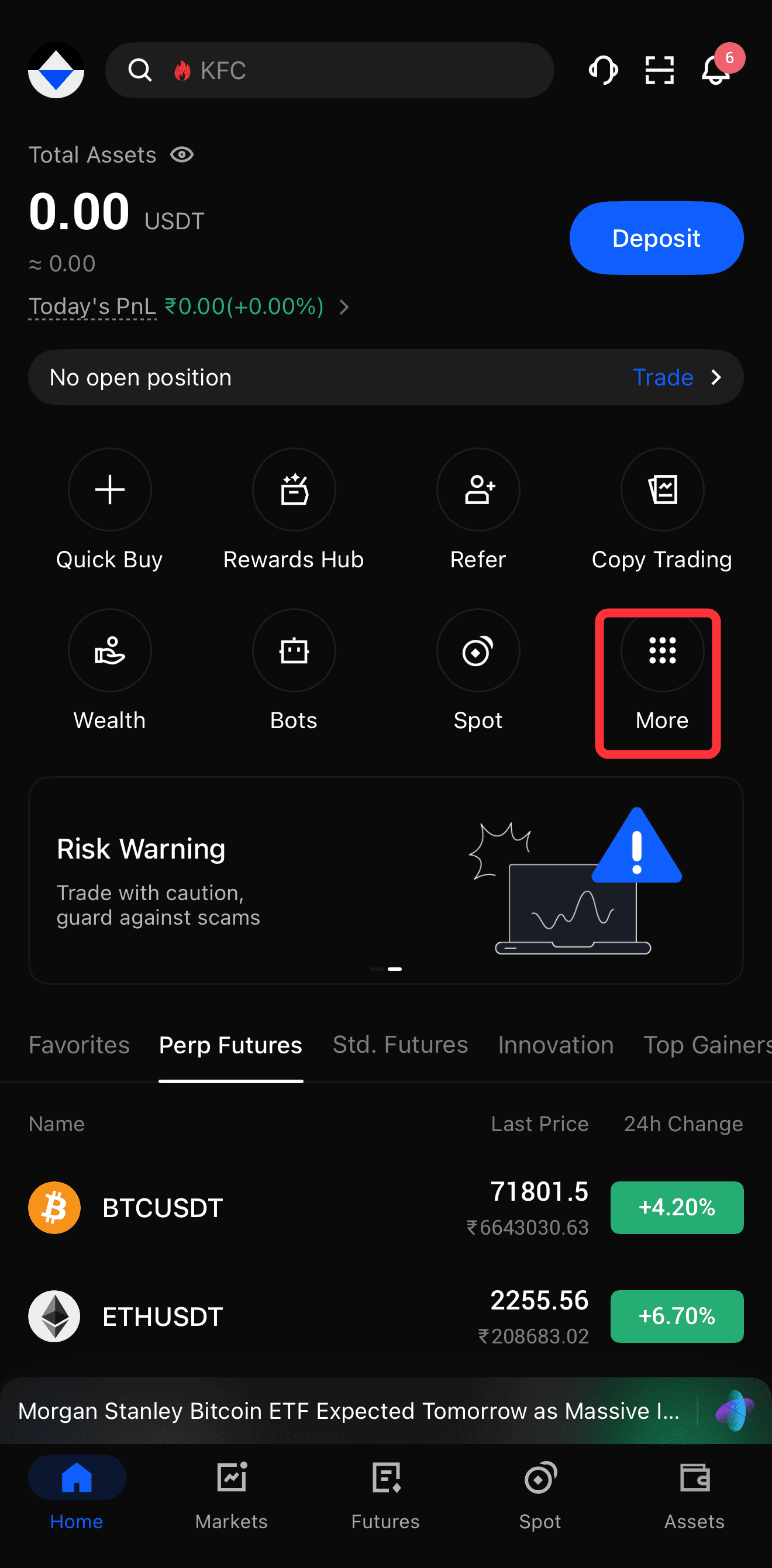
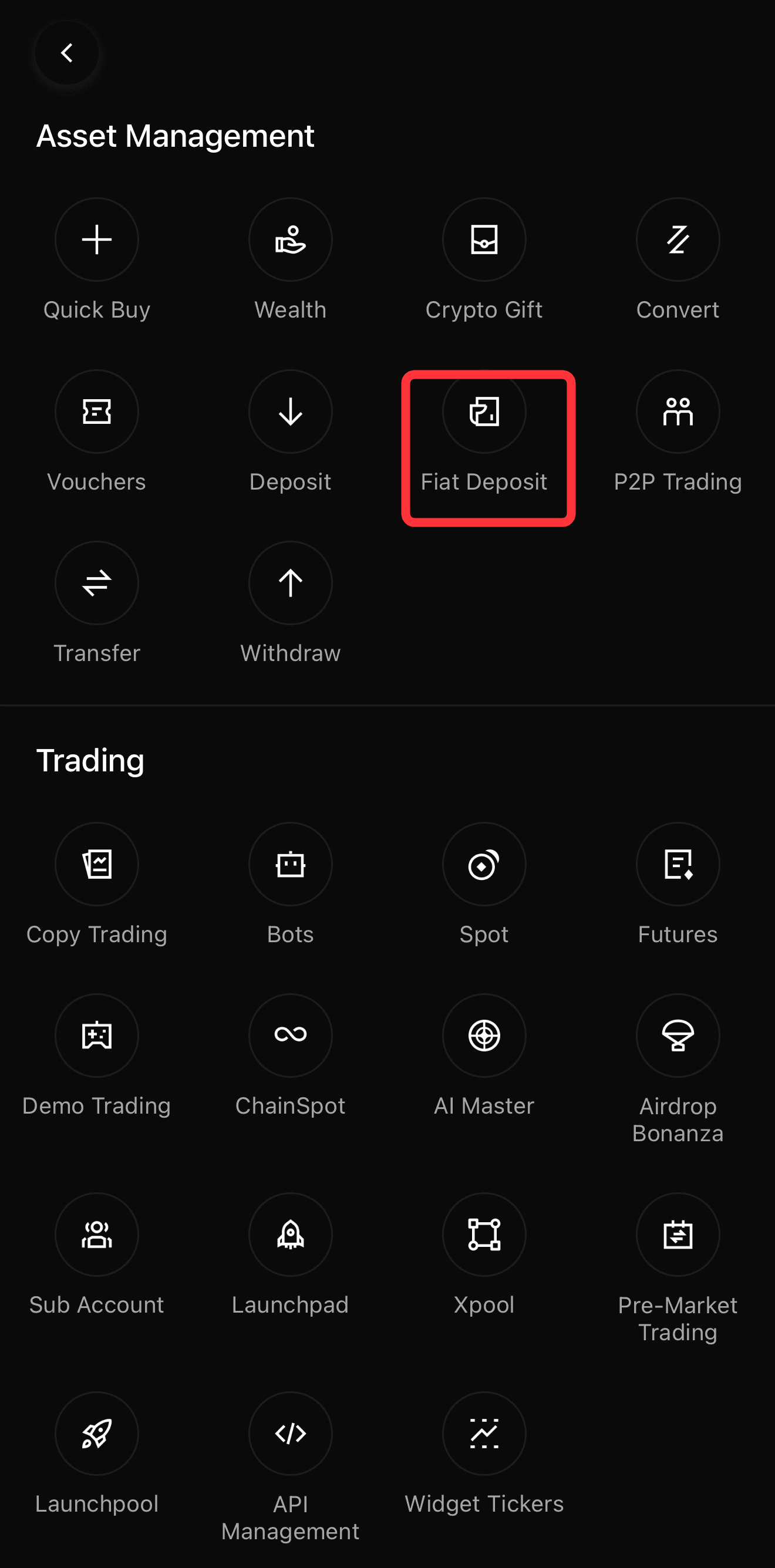
1. Start a Fiat Deposit: Tap More on the homepage and select Fiat Deposit.
2. Select Currency: Choose your fiat currency, e.g., EUR, and select Bank Transfer (SEPA).
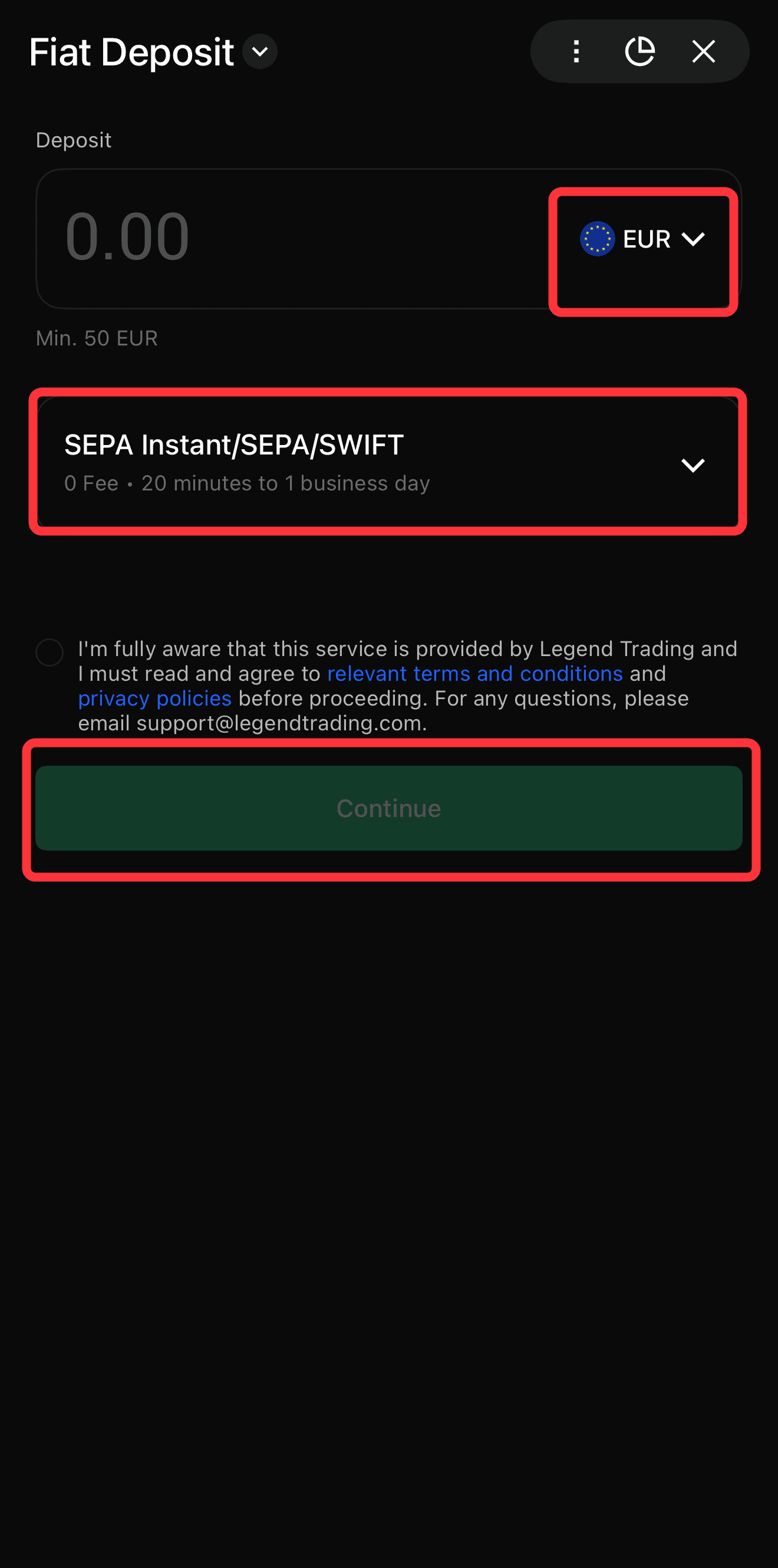
3. Copy Details: Note the exact bank details and reference number provided by BingX.
4. Transfer Funds: Initiate the transfer from your personal bank account.
5. Convert to Crypto: Once the fiat arrives in your BingX wallet, use the conversion tool to swap it for USDT, BTC, or ETH.
What Is the Best Way to Buy Crypto on BingX: A Comparison
| Feature | Quick Buy | P2P Trading | Fiat Deposit |
| Speed | Instant | 2–15 Minutes | 1–2 Business Days (Instant for SEPA Instant) |
| Fees | Third-party provider fees | Zero transaction fees | Free (Bank fees may apply) |
| Best For | Speed and convenience | Local payment methods | Large, cost-effective transfers |
| Payment Types | Credit/Debit Cards, Apple Pay | Bank Transfer, Revolut, e-wallets | SEPA, Wire Transfer |
How Do You Sell Crypto on the BingX App?
You can sell your cryptocurrency for fiat currency directly on the BingX app using the P2P trading platform or the Fiat Withdrawal feature. Both methods are secure and provide quick access to your funds, allowing you to convert your digital assets into cash easily.
1. Selling Crypto with P2P Trading
P2P trading is the most flexible way to sell your crypto, offering zero transaction fees and supporting numerous local payment methods. You maintain control over your trades by selecting buyers based on their reputation and offered prices.
1. Navigate to P2P Trading: Open the BingX app, tap More, and select P2P Trading.
2. Select Sell: Tap the Sell tab at the top of the screen.
3. Choose Asset and Currency: Select the cryptocurrency you want to sell, e.g., USDT, and the fiat currency you want to receive.
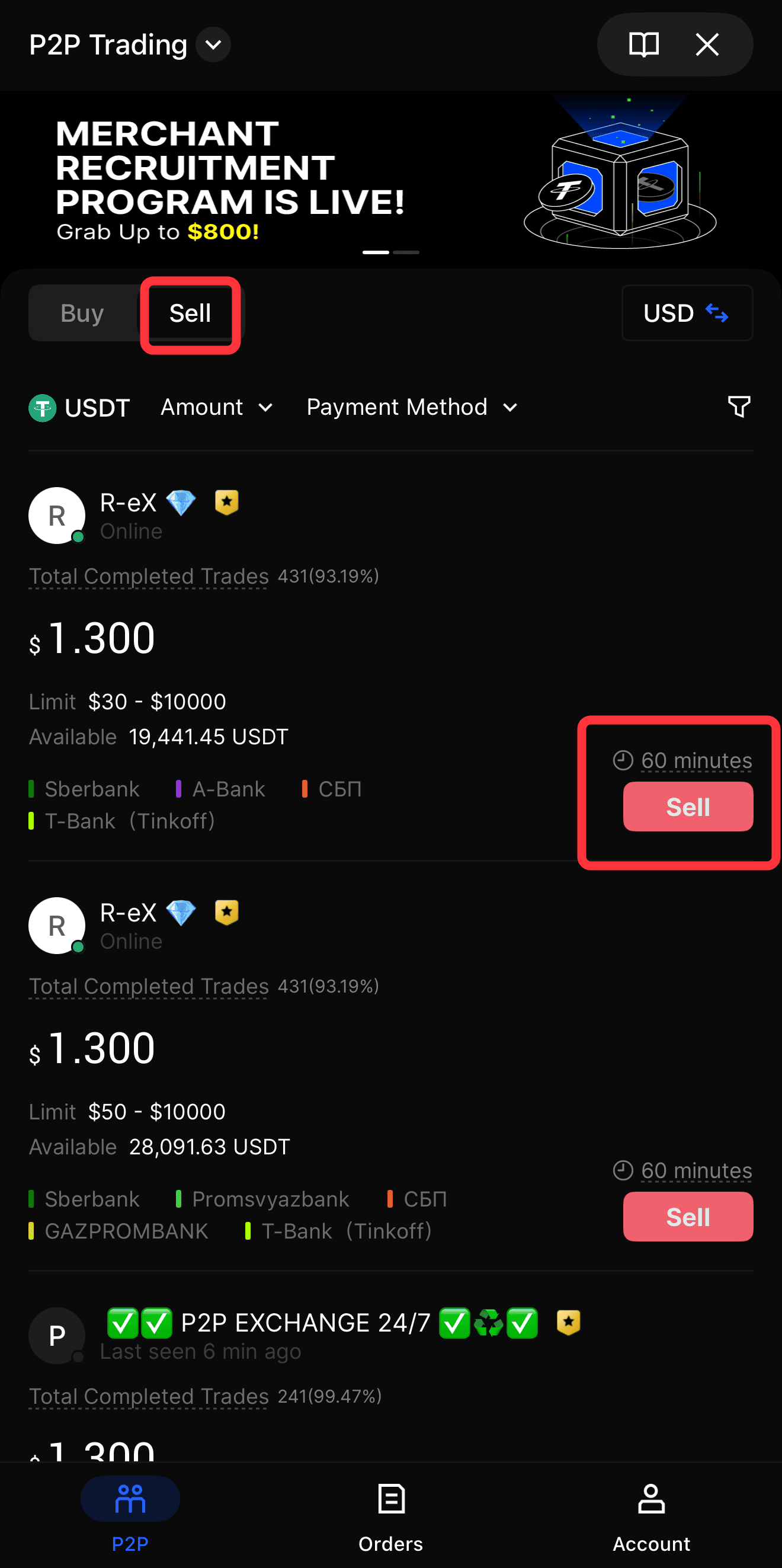
4. Find a Buyer: Browse the list of available buyers or use the filter tool to find someone offering your preferred payment method.
5. Start the Sale: Tap Sell next to a buyer with a high completion rate. Enter the amount of crypto you wish to sell.
6. Verify Payment Receipt: Wait for the buyer to transfer the fiat funds to your bank account or e-wallet. Do not release the crypto until you have verified the payment in your personal account.
7. Release the Crypto: Once you confirm the funds have arrived, tap the button to release the crypto from escrow to the buyer.
If you encounter any issues during the transaction, use the in-app chat to communicate with the buyer, or file an appeal with BingX support for assistance.
2. How to Withdraw Crypto to Fiat via Bank Transfer
If you prefer a direct route, you can convert your crypto to fiat within the BingX app and withdraw it to your linked bank account via SEPA or SEPA Instant.
1. Convert Crypto to Fiat: Go to Fund Account, Fiat Currency, and Convert, ensure the conversion direction is correct, e.g., USDT to EUR, enter the amount, and tap Convert.
2. Initiate Withdrawal: After conversion, tap Withdraw and select your fiat currency, e.g., EUR.
3. Add and Verify Bank Details: Click Add Bank Account/Card, and ensure the account name matches your KYC information exactly to avoid failed transactions.
4. Submit Withdrawal Request: Enter the withdrawal amount, select your bank account, and tap Submit.
5. Processing Time & Fees: SEPA withdrawals typically take 1–3 working days or up to 24 hours for SEPA Instant, with fees around 0.035% + €0.28, depending on the method.
How Do You Start Spot Trading on BingX?
Spot trading allows you to buy and sell cryptocurrencies directly on the open market at current or specified prices. The BingX app features an intuitive Spot trading interface with advanced tools for both beginners and experienced traders.
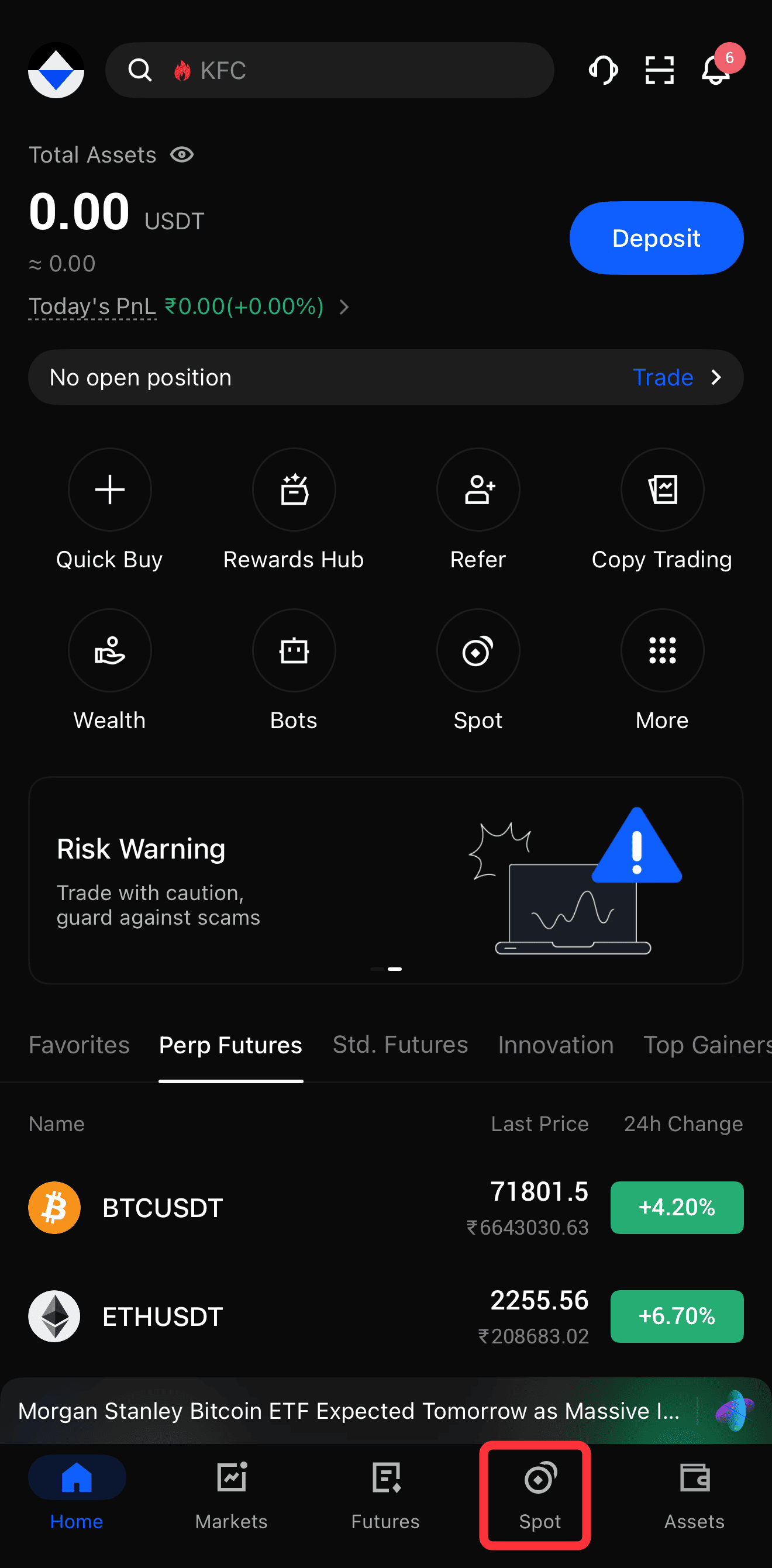
1. Navigate to Spot Market: Tap Spot on the bottom navigation bar of the BingX app.
2. Select a Trading Pair: Tap the current trading pair, e.g., BTC/USDT, at the top left to open the market list. Search for and select the cryptocurrency you want to trade.
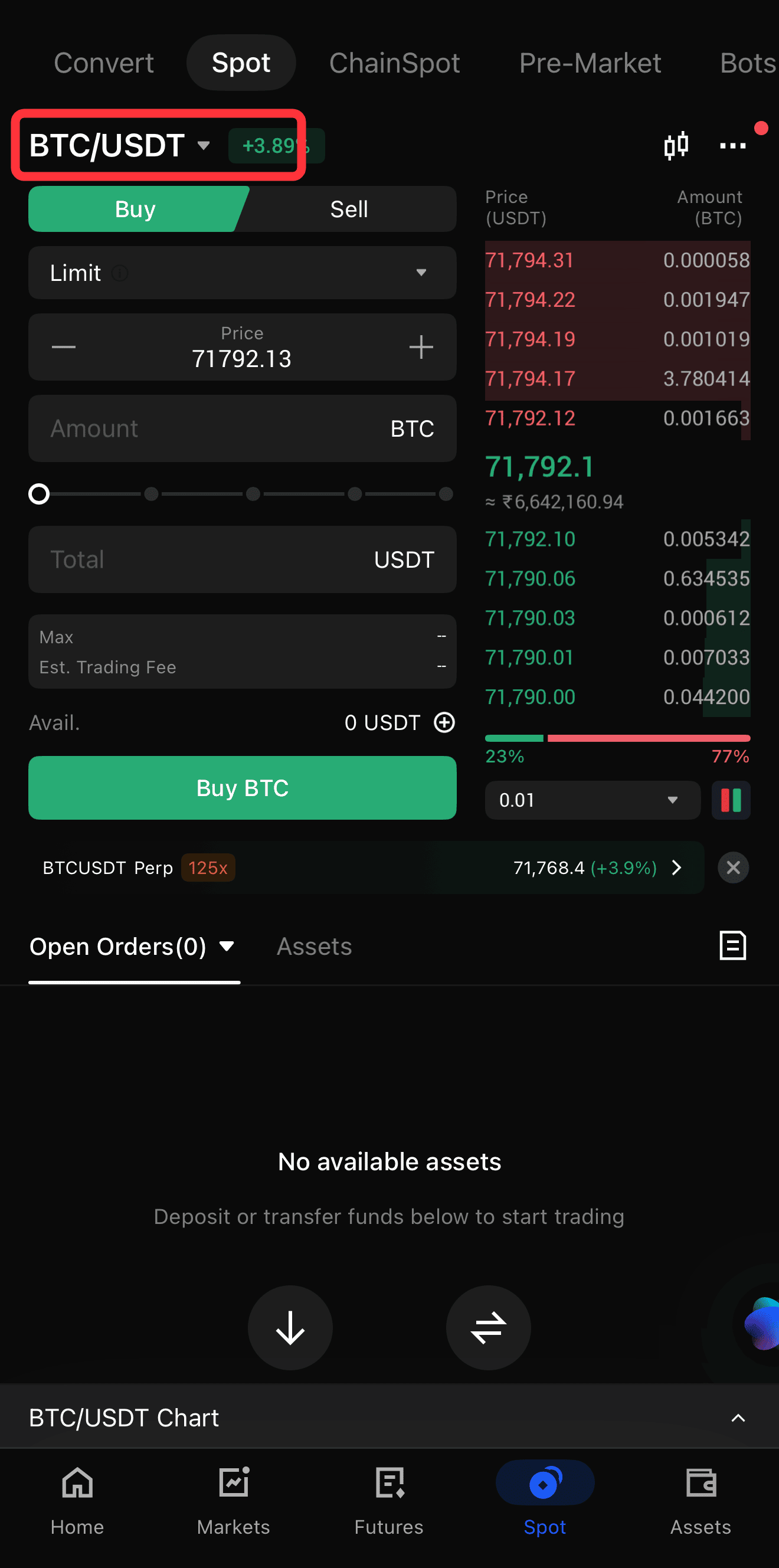
3. Choose Order Type: Select your preferred order type. A Market Order executes immediately at the current market price, while a Limit Order allows you to set a specific price at which you want to buy or sell.
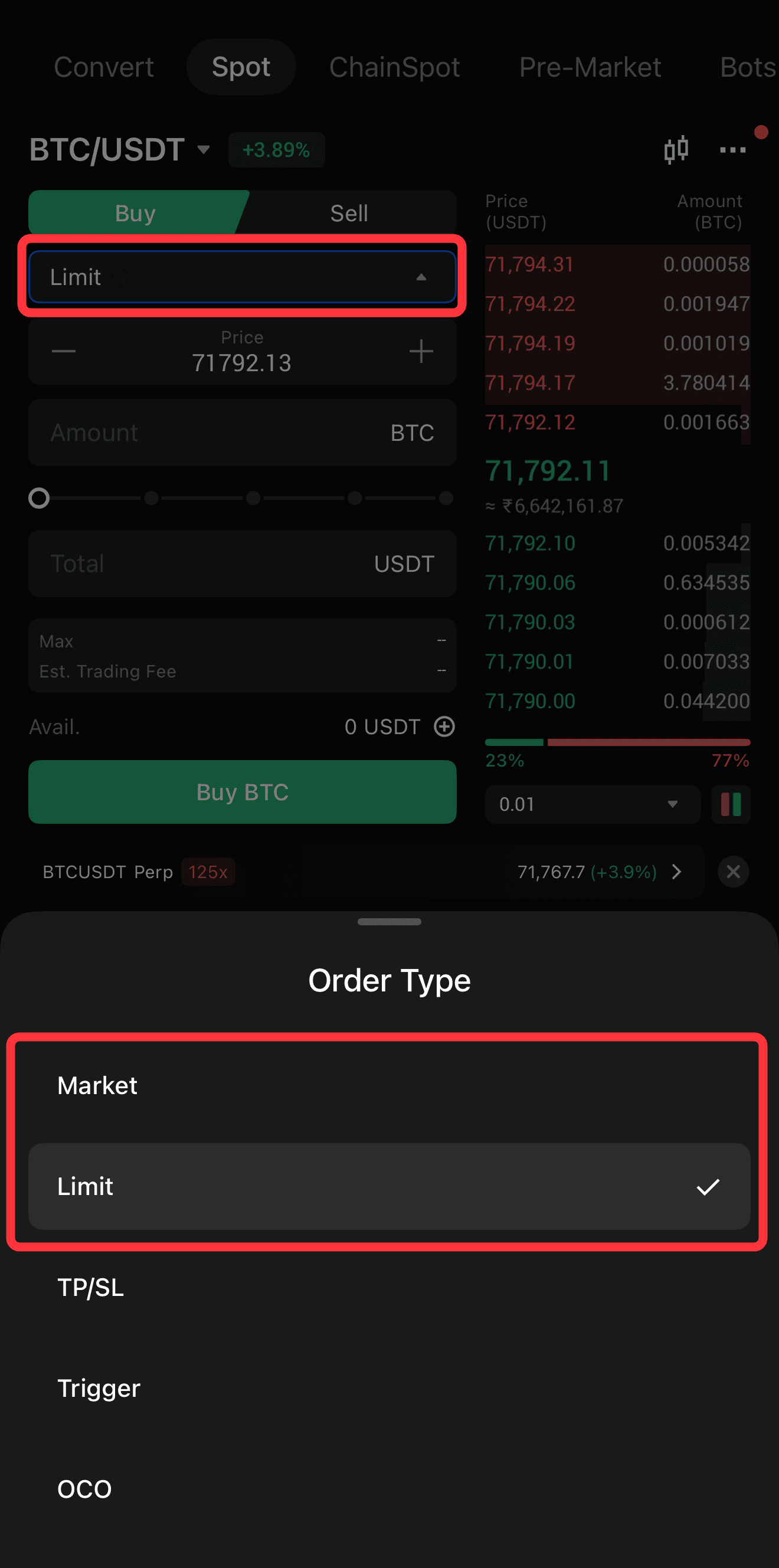
4. Enter Trade Details: Input the amount of crypto you want to buy or sell. You can use the slider to allocate a percentage of your available balance.
5. Execute the Trade: Tap Buy or Sell to place your order. Your newly acquired assets will appear in your Spot wallet immediately after the order is filled.
For a deeper dive into trading strategies and fee structures, check out our Spot trading tutorial.
FAQs on Buying and Selling Crypto on BingX App
1. What are the fees for buying crypto on the BingX app?
BingX charges zero transaction fees for P2P trading. For Quick Buy and Fiat Deposits, fees vary depending on the third-party service provider or your bank. Always review the final confirmation screen before completing a purchase.
2. Can I buy crypto on BingX without KYC verification?
No. BingX requires all users to complete at least standard KYC verification before buying or selling cryptocurrencies. This policy ensures a secure, compliant trading environment and protects your assets.
3. How long does it take to receive crypto after a Quick Buy purchase?
Quick Buy transactions are usually processed instantly or within a few minutes. However, depending on your bank or card provider, it may occasionally take longer for the funds to clear.
4. What is the T+1 rule for card purchases?
The T+1 rule is a security measure for credit and debit card purchases. It means that the crypto you buy using a card cannot be sold or withdrawn from the platform for 24 hours after the transaction is completed.
5. Is P2P trading safe on the BingX app?
Yes, P2P trading on BingX is highly secure. BingX uses an escrow system that locks the seller's crypto until the buyer's payment is confirmed. Additionally, all P2P merchants undergo strict verification processes.
6. Can I withdraw fiat directly to my bank account?
Yes. You can convert your crypto to a supported fiat currency (such as EUR) and withdraw it directly to your bank account using SEPA or SEPA Instant transfers.
7. What should I do if a P2P buyer does not send the payment?
If a buyer fails to send the payment within the specified time limit, the order will automatically cancel, and your crypto will be returned from escrow. If the buyer claims to have paid but you haven't received the funds, you can file an appeal with BingX support.